Best Low-Profile Mechanical Keyboards for Wrist Fatigue
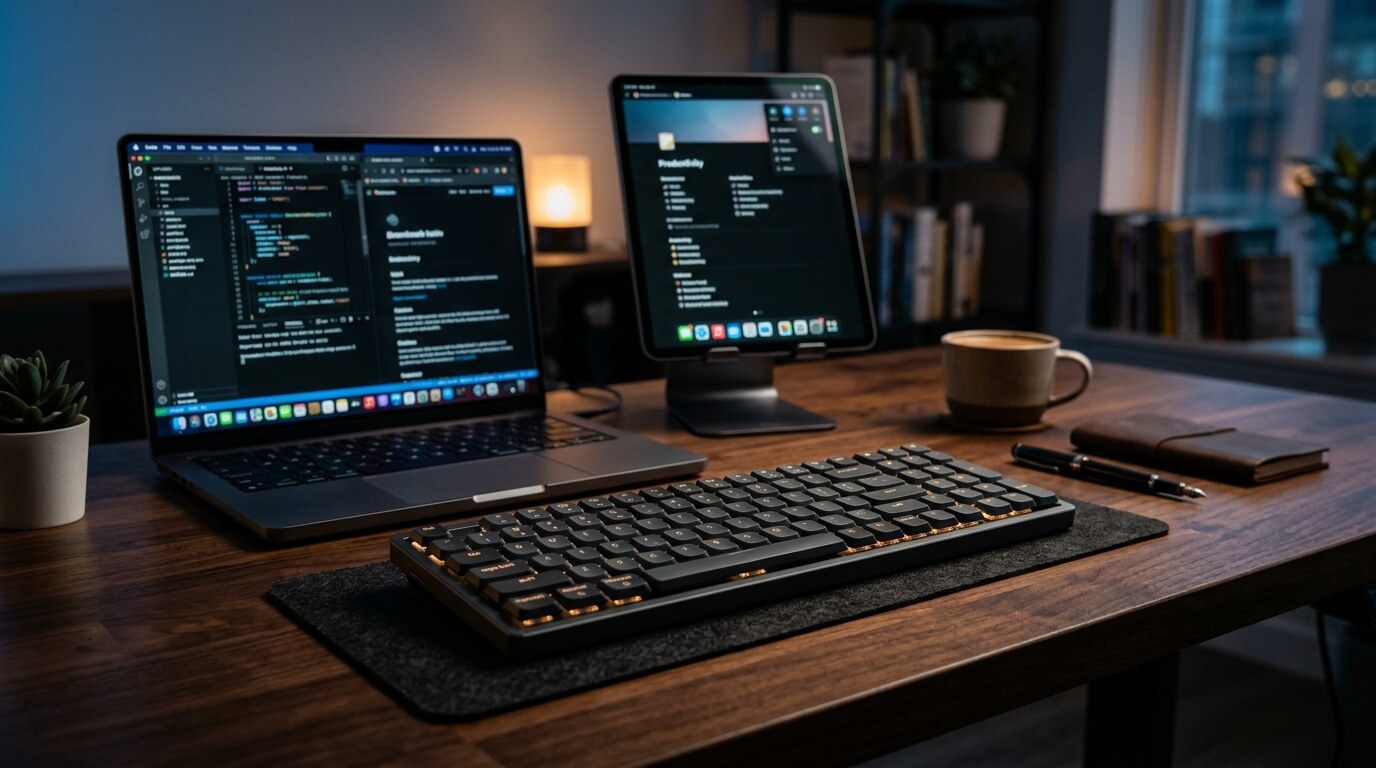
Thick, chunky mechanical keyboards might look cool, but their physical height forces your wrists into an unnatural upward bend. Over an eight-hour workday, this extension causes intense tendon strain, forearm fatigue, and eventual pain. Low-profile mechanical keyboards completely solve this physiological issue. By dropping the switch height by up to 40%, these boards allow your hands to rest closer to the desk surface, matching the flat ergonomics of a membrane board while keeping the crisp, tactile typing experience you love. We reviewed the top low-profile boards on the market that actively relieve typing strain.
Top Picks at a Glance
- The Workstation Ergonomic Benchmark: Logitech MX Mechanical
- The Ultra-Slim Value Champion: Keychron K3 V2
- The Luxury Shock-Absorbing Typing Experience: Lofree Flow (100-Key)
1. The Workstation Ergonomic Benchmark: Logitech MX Mechanical
The Logitech MX Mechanical is engineered to bring heavy-duty structural comfort to the desk. Built with a solid metal top plate, it incorporates specialized Low-Profile Tactile Quiet mechanical switches. These offer a noticeable physical bump right at the actuation point, giving your fingers immediate feedback without requiring you to smash the keys all the way down to the frame. This shallow travel distance prevents the continuous, jarring impact that tires out your finger joints during deep development sessions or data entry.
The Tension Review: Our hands-on observation: The slope of the chassis paired with the shallow keycaps means you do not need an external wrist rest to type comfortably. Your hands stay relaxed and flat, preventing forearm burn.
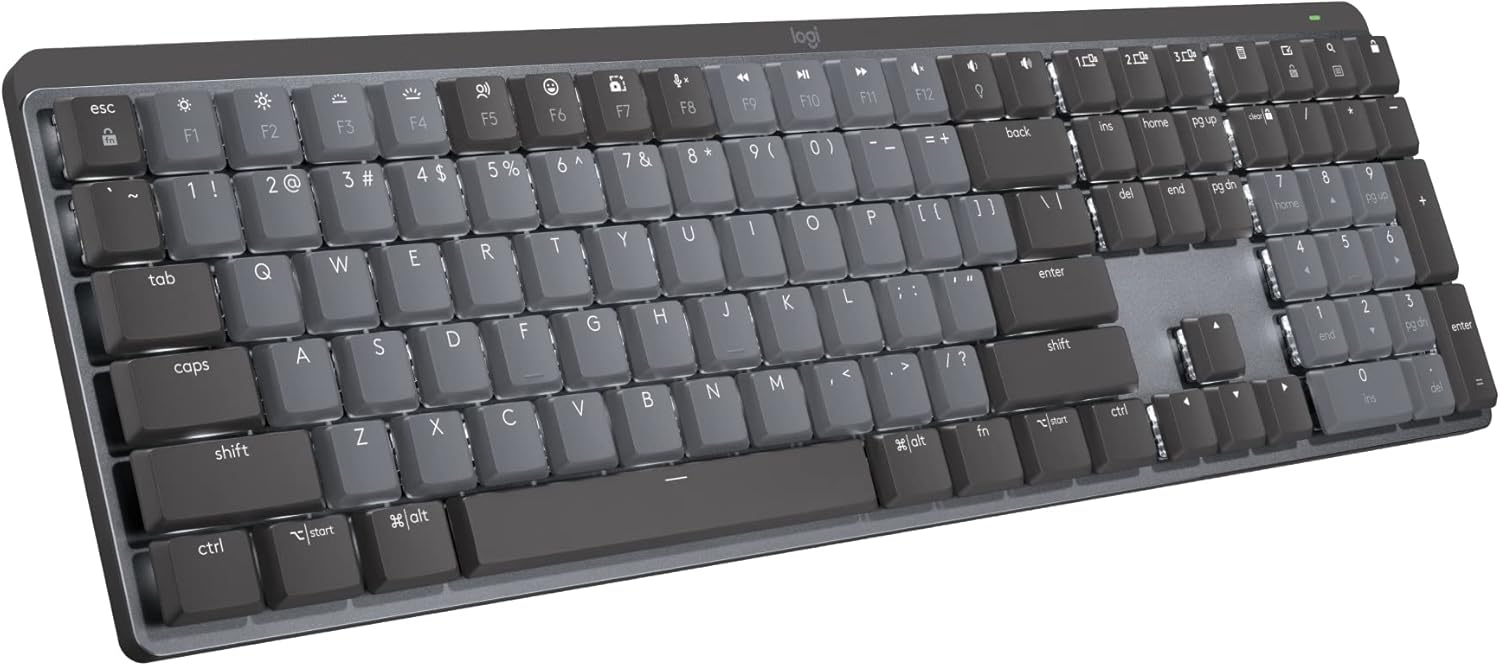
Logitech MX Mechanical
- ✅ Pros: Smart proximity backlighting, robust Logi Options+ software macros, incredibly long battery life with lighting turned off.
- ❌ Cons: The full-size layout requires a wider arm reach to use your mouse.
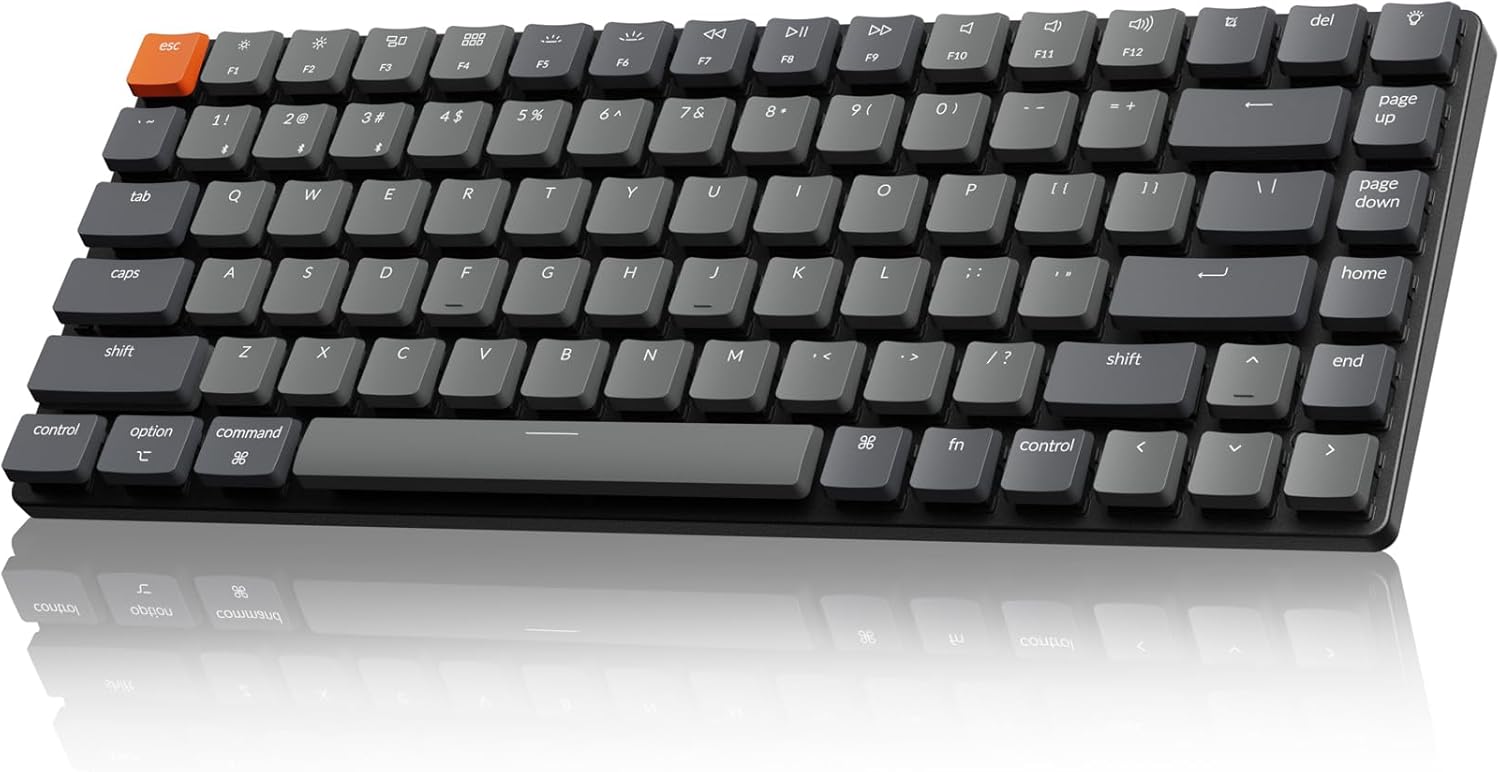
2. The Ultra-Slim Value Champion: Keychron K3 Version 2
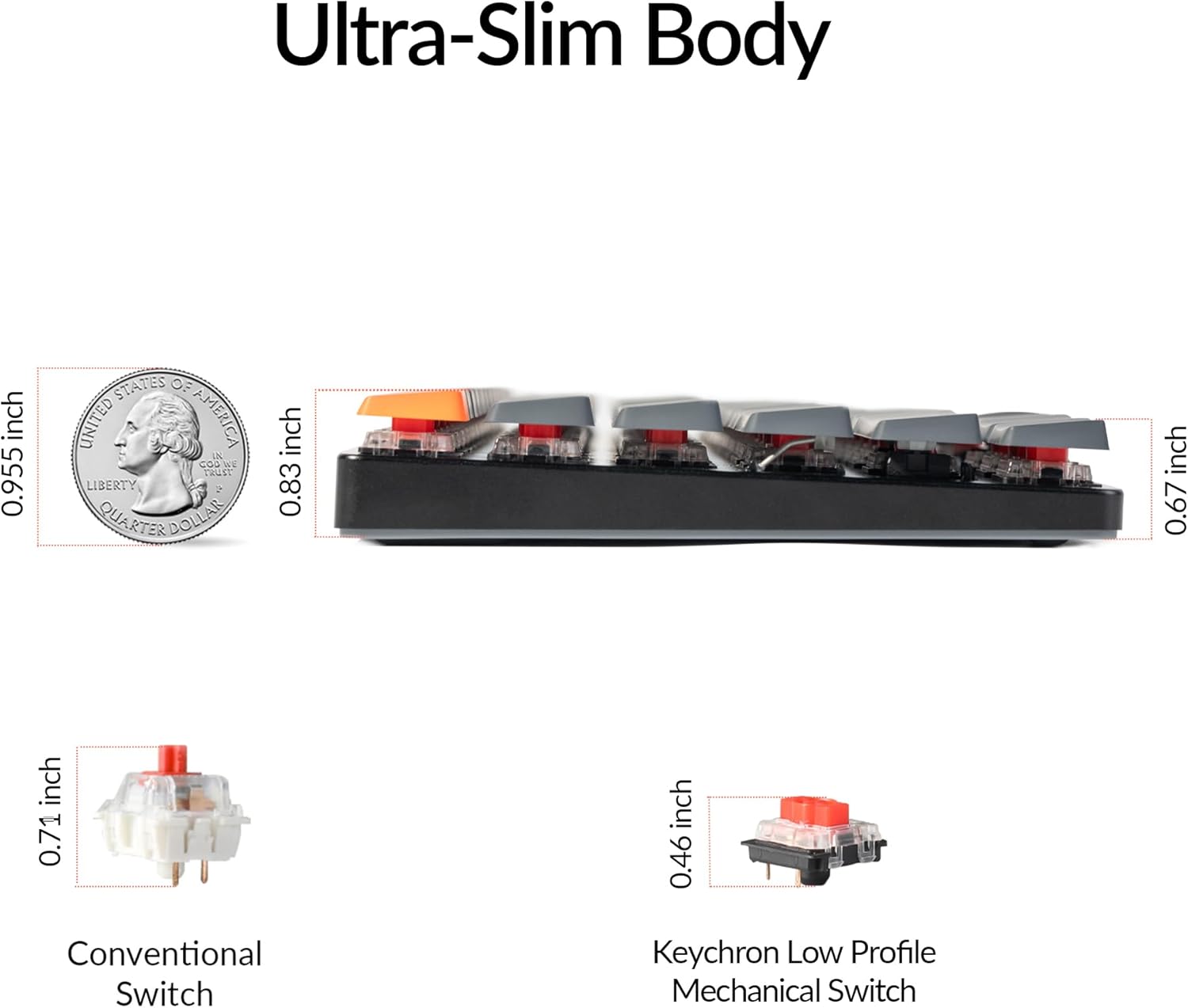
The Keychron K3 V2 strips away every unnecessary millimeter of bulk, combining an ultra-slim reinforced aluminum body with a compact 75% layout. It features custom, redesigned low-profile Keychron mechanical red switches that are 40% thinner than standard desktop switches. With a drastically shortened pre-travel distance, keys trigger instantly with light pressure, letting your fingers glide effortlessly from key to key without straining your hand muscles.
The Tension Review: Our hands-on observation: Because it is so unbelievably thin and lightweight, your wrists sit at a perfectly neutral, parallel angle to your desk surface, removing almost all compression from your carpal tunnel.
Swipe horizontally to view color options
Keychron K3 V2
- ✅ Pros: Flawless hardware toggle switch for Mac/Windows, floating keycap design is incredibly easy to clean, highly affordable entry price.
- ❌ Cons: White LED backlighting is basic; Bluetooth can occasionally drop if surrounded by heavy signal interference.
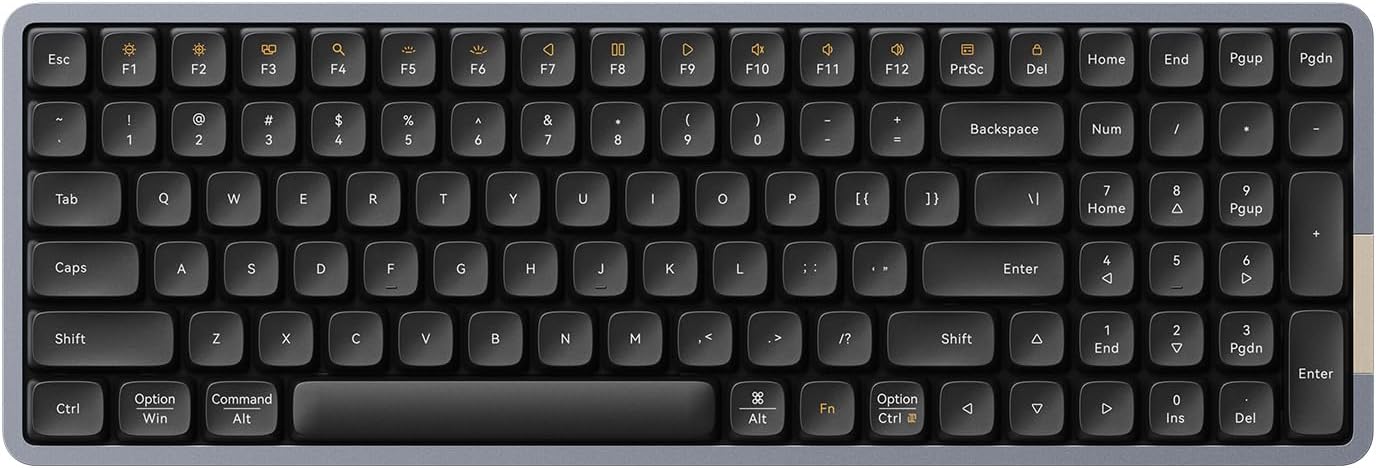
3. The Luxury Shock-Absorbing Typing Experience: Lofree Flow (100-Key)
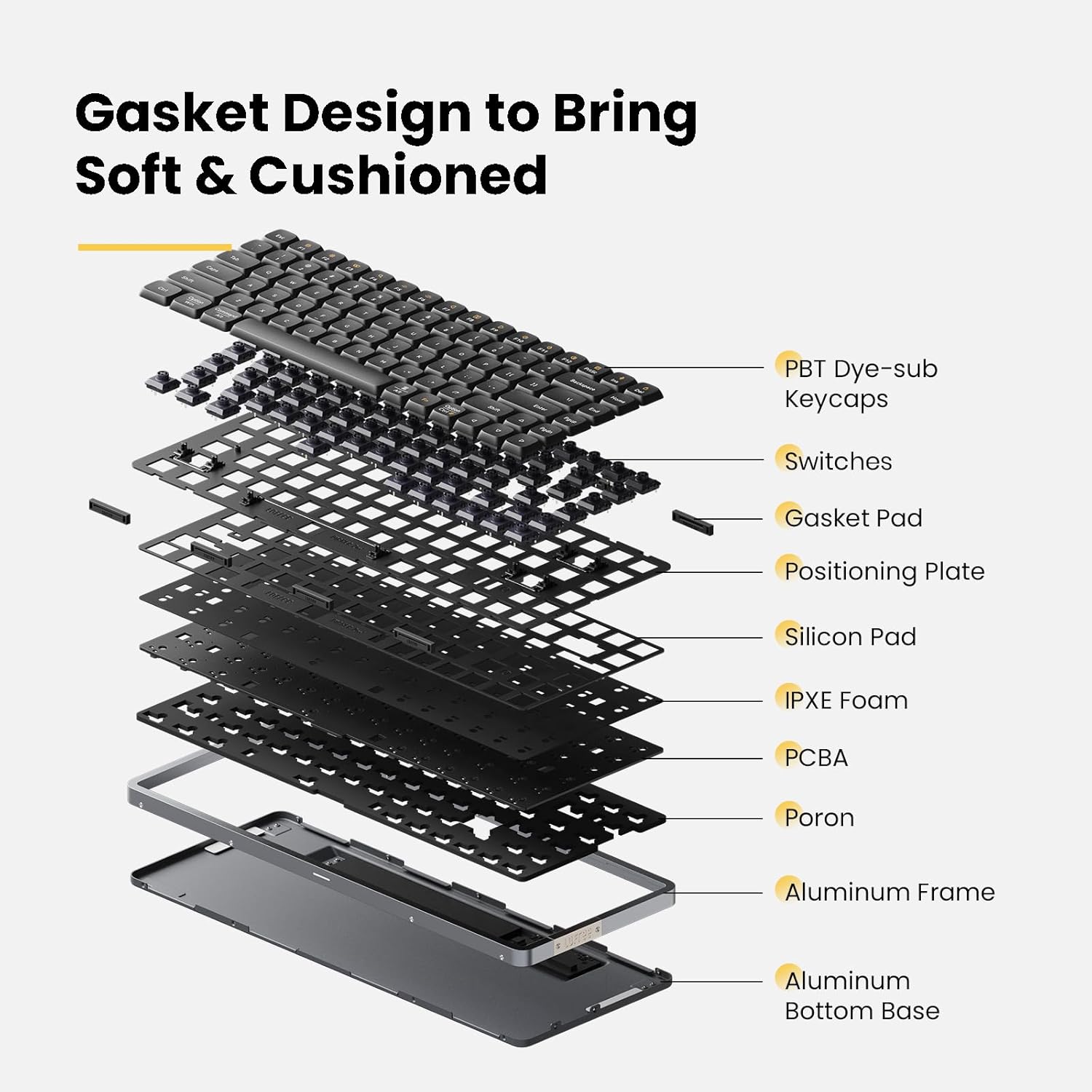
The Lofree Flow approaches hand fatigue through advanced internal damping. It stands as the world’s first low-profile mechanical keyboard to use a genuine gasket-mount design. Instead of screwing the internal plate directly into a hard frame, the structure sits on soft rubber gaskets, distributing pressure evenly. This is paired with custom Kailh full POM switches that self-lubricate over time, ensuring a smooth, friction-free keystroke.
The Tension Review: Our hands-on observation: Typing on the Flow feels like typing on a cloud. The combination of the all-aluminum chassis weight and the internal gasket padding cushions the physical shock of every keystroke, directly protecting your wrists from long-term impact pain.
Swipe horizontally to view color options
Lofree Flow (100-Key)
- ✅ Pros: Unmatched premium build quality, hot-swappable switch sockets, premium dye-sublimated PBT keycaps that never get greasy.
- ❌ Cons: 100-key layout is highly functional but takes up slightly more desk space than a 75% compact alternative.
If your daily workflow takes you out of the home office and onto the road, make sure to read our curated guide to the best foldable Bluetooth keyboards for digital nomads and frequent travelers.
The Final Verdict: Who Wins?
Get the Logitech MX Mechanical if:
- You want a bulletproof office workstation keyboard with a full number pad, smart backlighting, and world-class battery life.
Get the Keychron K3 V2 if:
- You want a highly portable, ultra-slim 75% board that keeps your wrists flat without breaking the bank.
Get the Lofree Flow if:
- You want the absolute highest tier of typing luxury, smooth POM switches, and a cushioned gasket mount to completely eliminate joint impact.
Frequently Asked Questions
Why does a lower profile keyboard help with wrist fatigue?
Standard mechanical keyboards force you to angle your hands upward (wrist extension). This compresses the carpal tunnel over time. Low-profile designs allow your hands to type parallel to the desk surface, eliminating the need for a wrist rest entirely.
What is a gasket mount and why does it matter for comfort?
A gasket mount suspends the internal keyboard plate using flexible rubber or silicone tabs. This means when you hit a key, the entire plate slightly flexes down to absorb the energy, reducing the shock felt by your fingertips and tendons.
Karim
Wireless desk enthusiast and mechanical keyboard obsessive. I test, review, and tear down tech to help you build the perfect, clutter-free setup.