Best Wireless Keyboards with Built-In Trackpads for Smart TVs
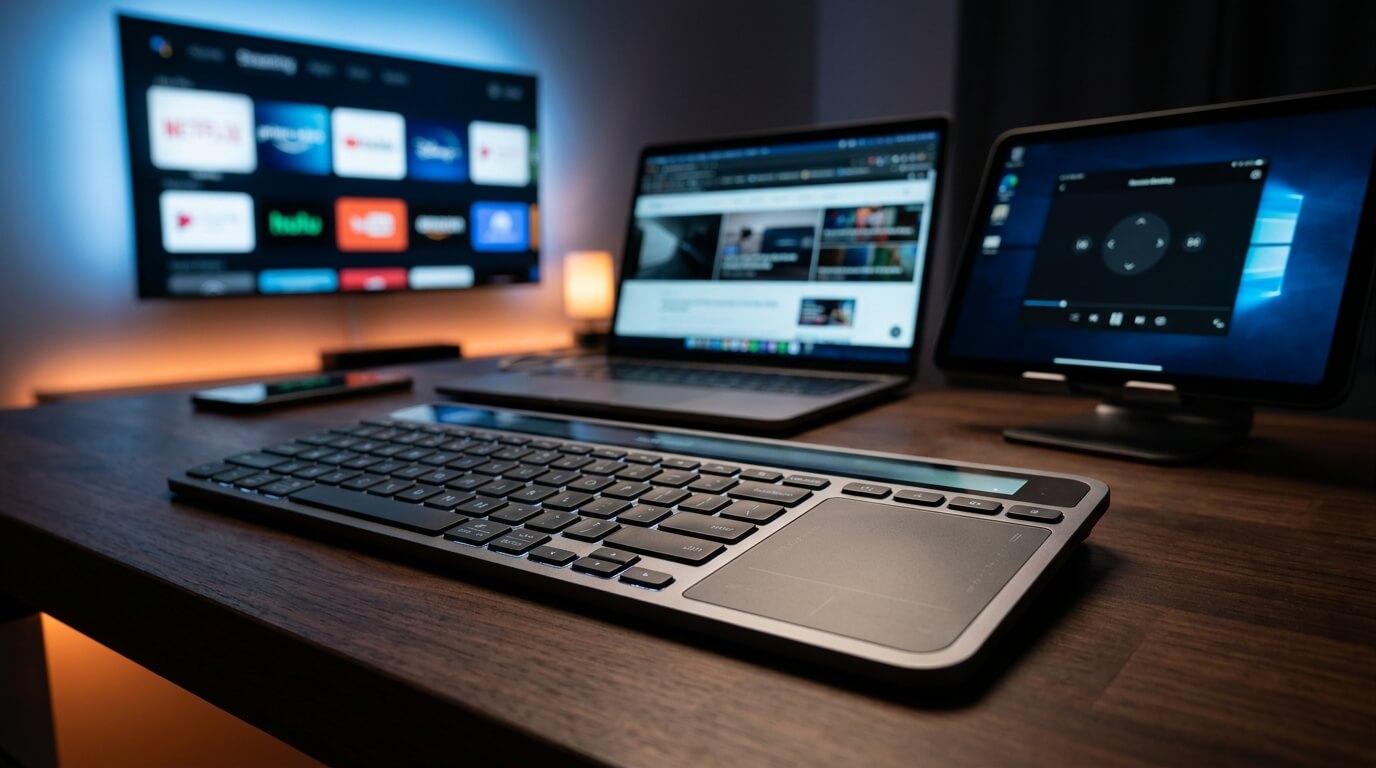
Navigating a modern Smart TV, media center, or home theater PC (HTPC) with a standard directional remote control is an absolute exercise in frustration. Typing out a single movie title in a search bar becomes a tedious chore of clicking left, right, up, and down. A wireless keyboard with an integrated trackpad completely reclaims your living room experience. By combining a full typing layout with a precise touch surface into a single lap-friendly device, these keyboards let you search, scroll, and browse streaming platforms right from the comfort of your couch. We reviewed the top living room keyboards built for range, durability, and ease of use.
Top Picks at a Glance
- The Undisputed Living Room Standard: Logitech K400 Plus
- The Ultimate Dark-Room Solution: Arteck Backlit Bluetooth TV Keyboard
- The Premium Low-Profile Upgrade: Arteck 2.4G Stainless Steel TV Keyboard
1. The Undisputed Living Room Standard: Logitech K400 Plus
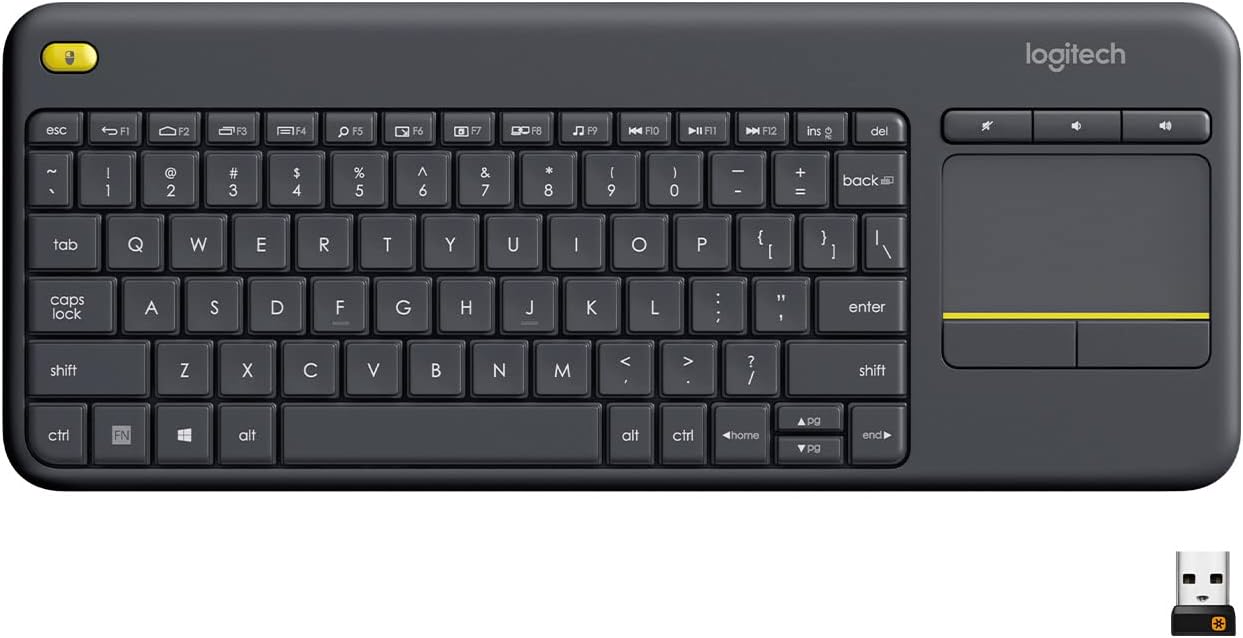
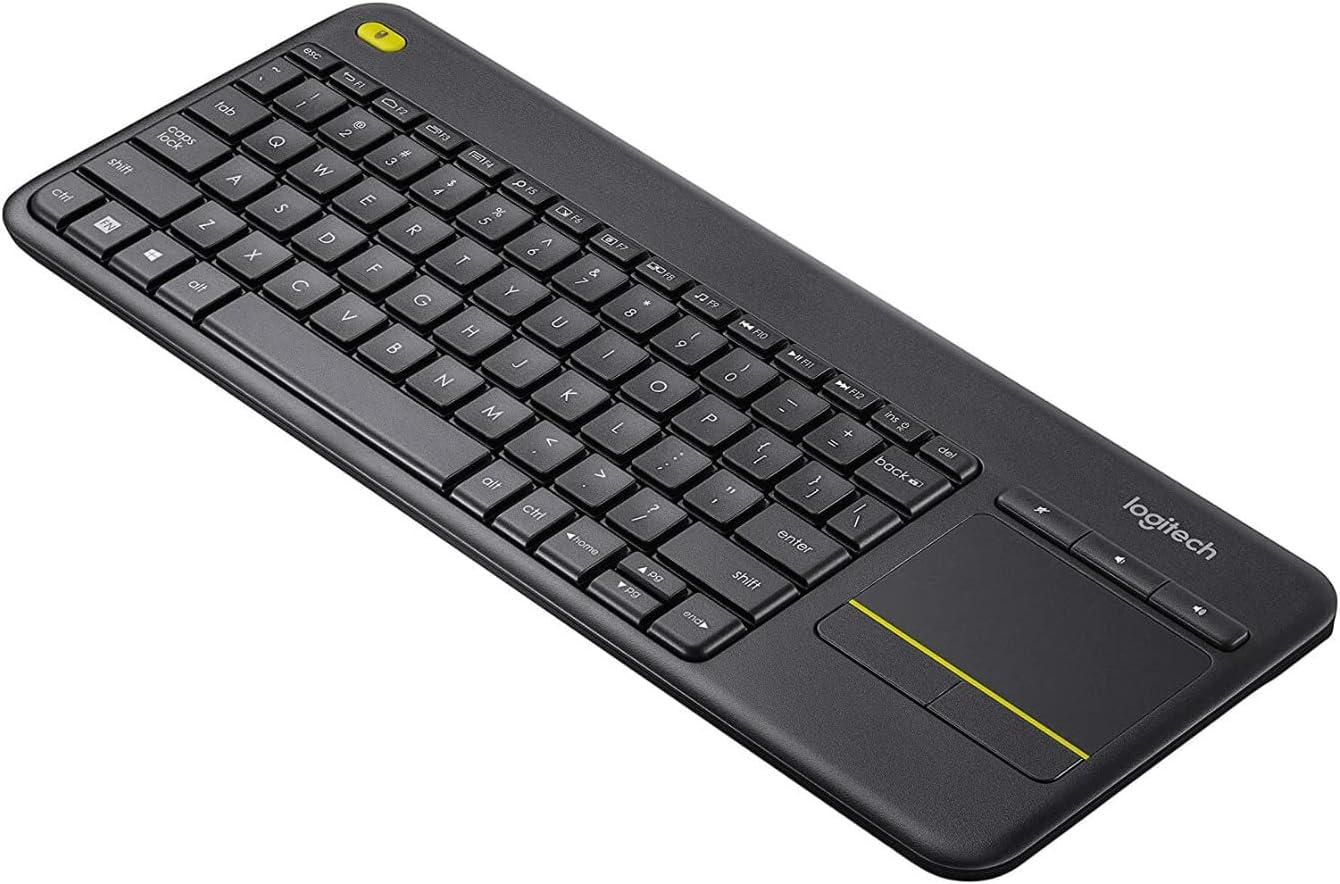
The Logitech K400 Plus has been the reigning heavyweight champ of home theater setups for years, and for good reason. It is built entirely around laid-back, hassle-free control. Featuring a compact layout paired with a generous 3-inch built-in touchpad, it consolidates your controls into a single lightweight deck. The layout features specialized media hotkeys—including volume controls positioned right above the trackpad and a secondary left-click button on the top-left corner—allowing you to comfortably hold the keyboard with two hands while navigating with your thumbs.
Couch Comfort Factor: Spill-resistant casing and highly flexible plastic chassis means it can take being dropped on the floor, stepped on, or knocked off the coffee table without skipping a beat. Plus, an 18-month battery life means zero charging anxiety.
Swipe horizontally to view color options
Logitech K400 Plus
- ✅ Pros: Excellent durability, extremely long battery life, specialized media shortcut keys.
- ❌ Cons: Typing feel is mushy and not meant for long document drafting, lacks backlighting.
2. The Ultimate Dark-Room Solution: Arteck Backlit Bluetooth TV Keyboard
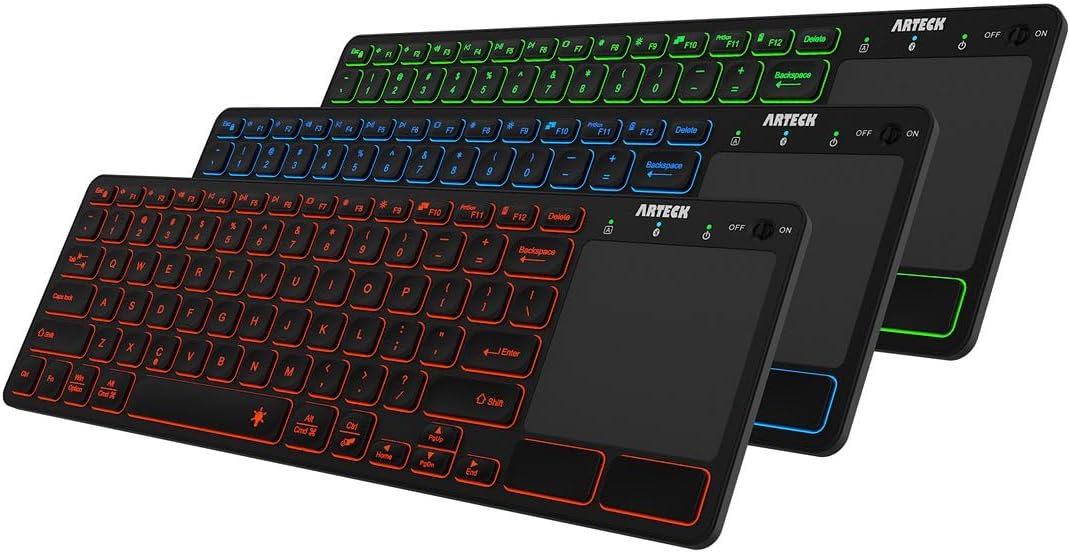
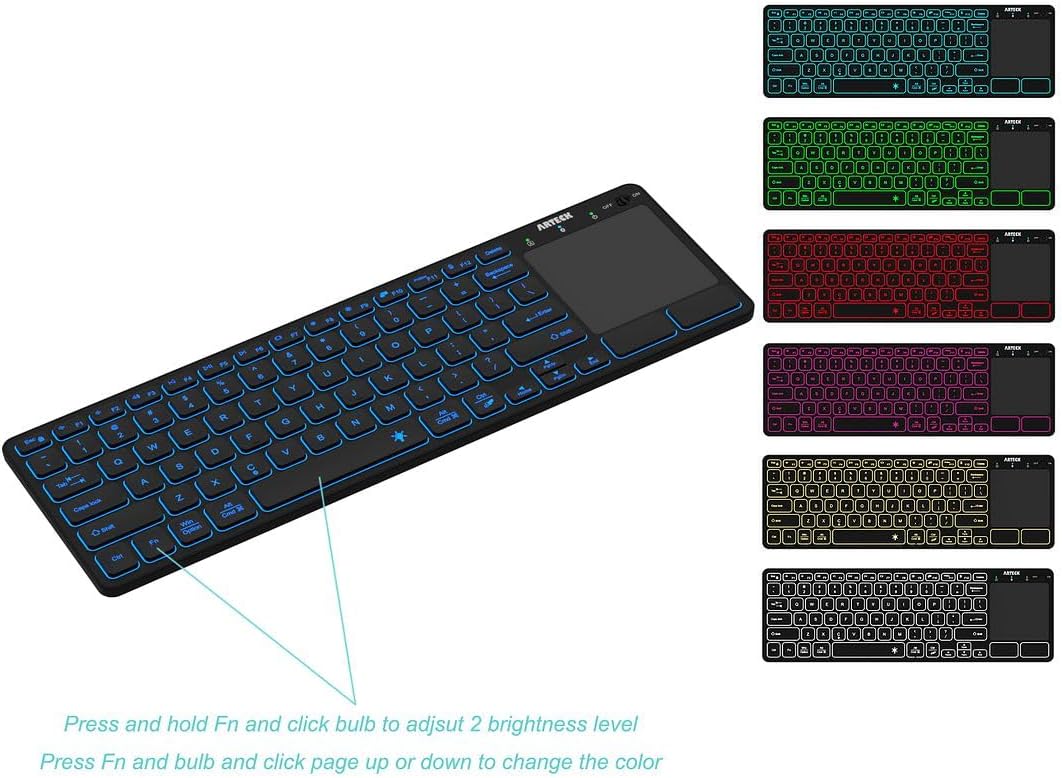
The biggest flaw with traditional media keyboards is using them in the dark during movie nights. The Arteck Backlit Bluetooth Keyboard solves this with an elegant 7-color LED backlighting system featuring adjustable brightness levels. Operating on a clean, internal Bluetooth module, it hooks up seamlessly to Smart TVs, streaming sticks, tablets, and media PCs without hogging a physical USB slot. The trackpad handles gesture navigation smoothly, making it effortless to swipe through app menus.
Couch Comfort Factor: The keys light up automatically when typing and dim when idle to save power. It is ultra-slim, making it easy to slide between couch cushions or store on a side table when the movie starts.
Swipe horizontally to view color options
Arteck Backlit Bluetooth TV Keyboard
- ✅ Pros: Fantastic 7-color adjustable backlighting, frees up USB ports by using native Bluetooth, ultra-slim profile.
- ❌ Cons: Trackpad is slightly smaller than competitors, backlighting will drain the rechargeable battery faster.
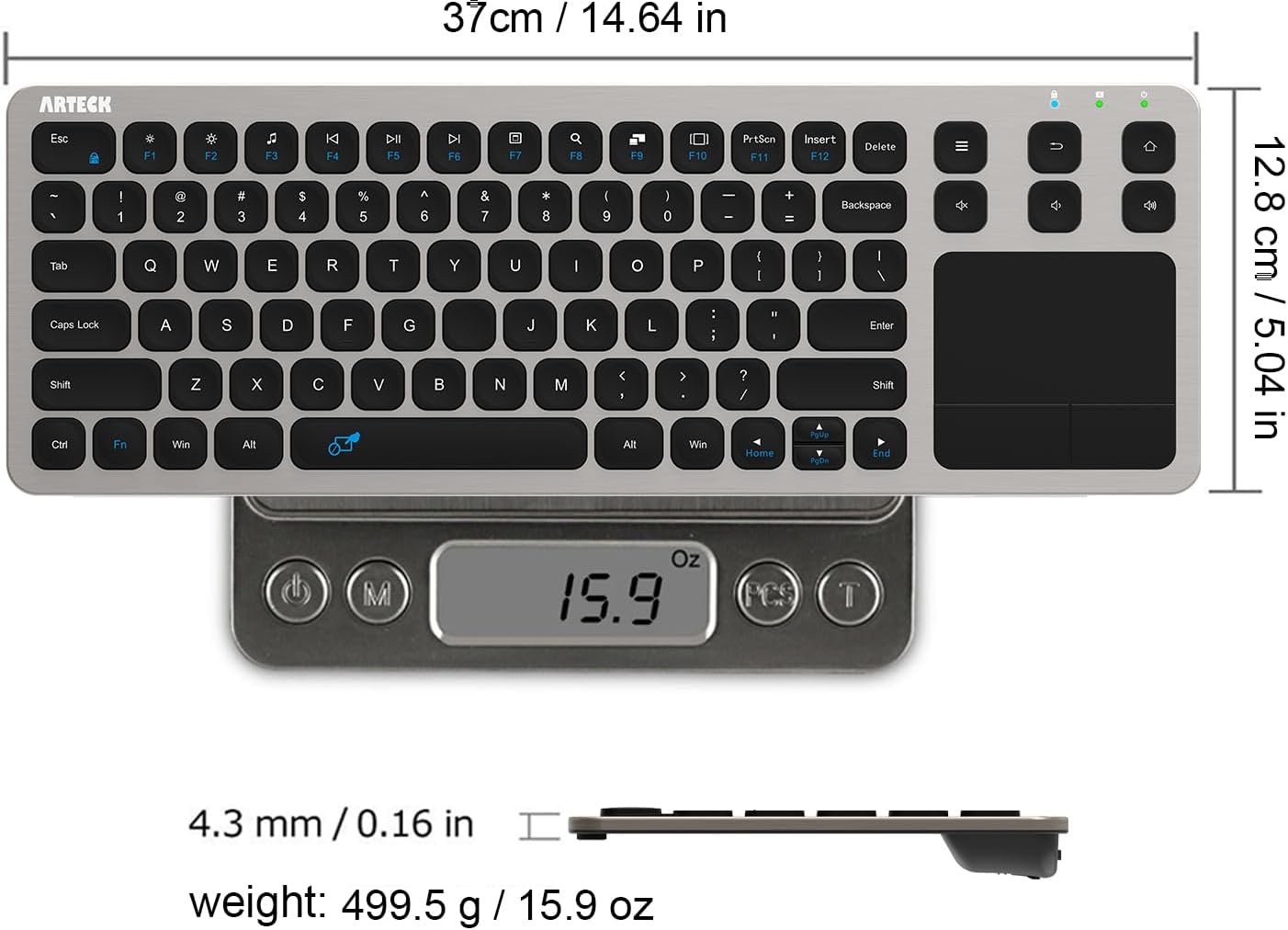
3. The Premium Low-Profile Upgrade: Arteck 2.4G Stainless Steel TV Keyboard
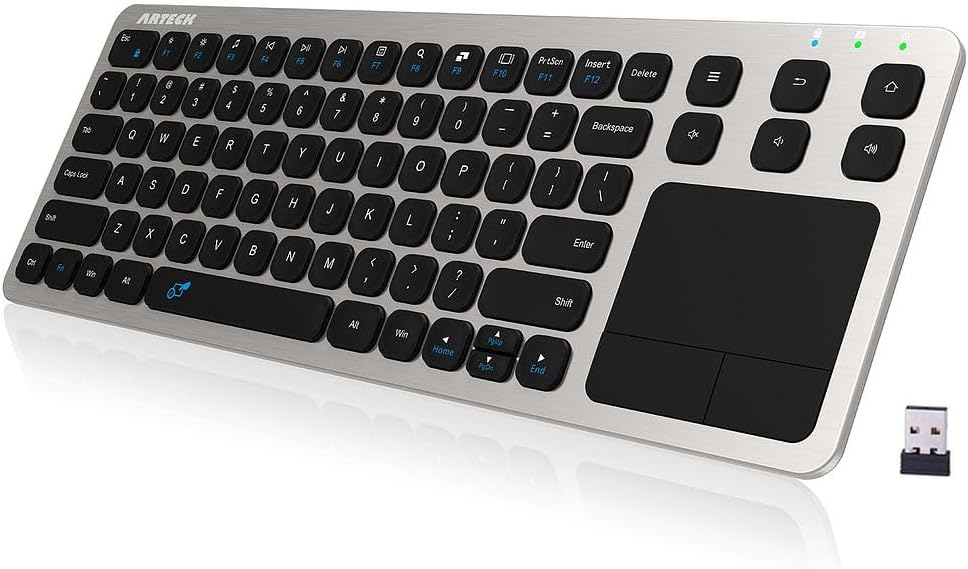
If you want a keyboard that feels less like a plastic toy and more like a high-end luxury peripheral, the Arteck Stainless Steel variant is an incredible choice. Built with an authentic, heavy-duty stainless steel back plate, this keyboard is surprisingly rigid and dense despite being incredibly thin at just 0.16 inches. It connects via a standard plug-and-play 2.4GHz USB nano receiver, establishing a rock-solid 33-foot range that handles large living rooms effortlessly without lag or dropped inputs.
Couch Comfort Factor: The heavy metal baseline gives it excellent structural stability when balancing it on your bare lap or a soft blanket, preventing the keyboard from flexing or shifting while you type.
Swipe horizontally to view color options
Arteck 2.4G Stainless Steel TV Keyboard
- ✅ Pros: Stunning stainless steel construction, plug-and-play simplicity, zero deck flex when typing on uneven surfaces.
- ❌ Cons: Requires a free USB-A port on your TV or media PC, runs on standard AAA batteries rather than internal USB charging.
If your office environment is just as loud as your living room, skip the remotes and check out our definitive guide to the best quiet wireless keyboards for shared workspaces.
The Final Verdict: Who Wins?
Get the Logitech K400 Plus if:
- You want a durable, casual, family-proof keyboard with long battery life that handles daily wear and tear effortlessly.
Get the Arteck Backlit Bluetooth if:
- You primarily watch movies with the lights off and need illuminated keys alongside clean, dongle-free Bluetooth connectivity.
Get the Arteck 2.4G Stainless Steel if:
- You value high-end material design, structural rigidity for lap use, and zero-configuration USB connectivity.
Frequently Asked Questions
Will these keyboards work directly with my specific Smart TV?
Most modern Smart TVs (Samsung, LG, Sony) support standard USB and Bluetooth HID keyboard inputs. However, certain native apps (like YouTube or Netflix on older TV operating systems) restrict keyboard inputs within their specific search fields. In those cases, the trackpad cursor will still navigate the primary system layout smoothly.
What is the difference between the 2.4GHz USB and Bluetooth models for a TV?
2.4GHz models use an included USB plug that works instantly with absolute zero setup. Bluetooth versions require a quick menu pairing process but do not require an open USB port, which is perfect for slim wall-mounted displays or devices like iPads and streaming pucks.
Karim
Wireless desk enthusiast and mechanical keyboard obsessive. I test, review, and tear down tech to help you build the perfect, clutter-free setup.