60% vs TKL vs Full-Size: Which Keyboard Layout is Right for You?
Buying a new mechanical keyboard is not just about picking the right switches and keycaps; it is an architectural decision for your desk. If you buy a massive Full-Size keyboard for a tiny dorm desk, your mouse will constantly slam into the side of it. Conversely, if you buy an ultra-compact 60% board for heavy spreadsheet work, you will lose your mind searching for the missing arrow keys. Here is the ultimate guide to understanding keyboard layout percentages so you can reclaim your desk real estate. Once you have decided on the perfect layout, you don't necessarily have to spend a fortune; there are plenty of excellent budget mechanical keyboards under $50. Alternatively, if portability is a priority alongside layout efficiency, check out the best low profile mechanical keyboards.
📐 Desk Real Estate & Mouse Freedom Visualizer
Watch how shrinking the keyboard expands your low-sensitivity mouse swipe area.
1. The 60% Layout: The Competitive Gamer's Dream
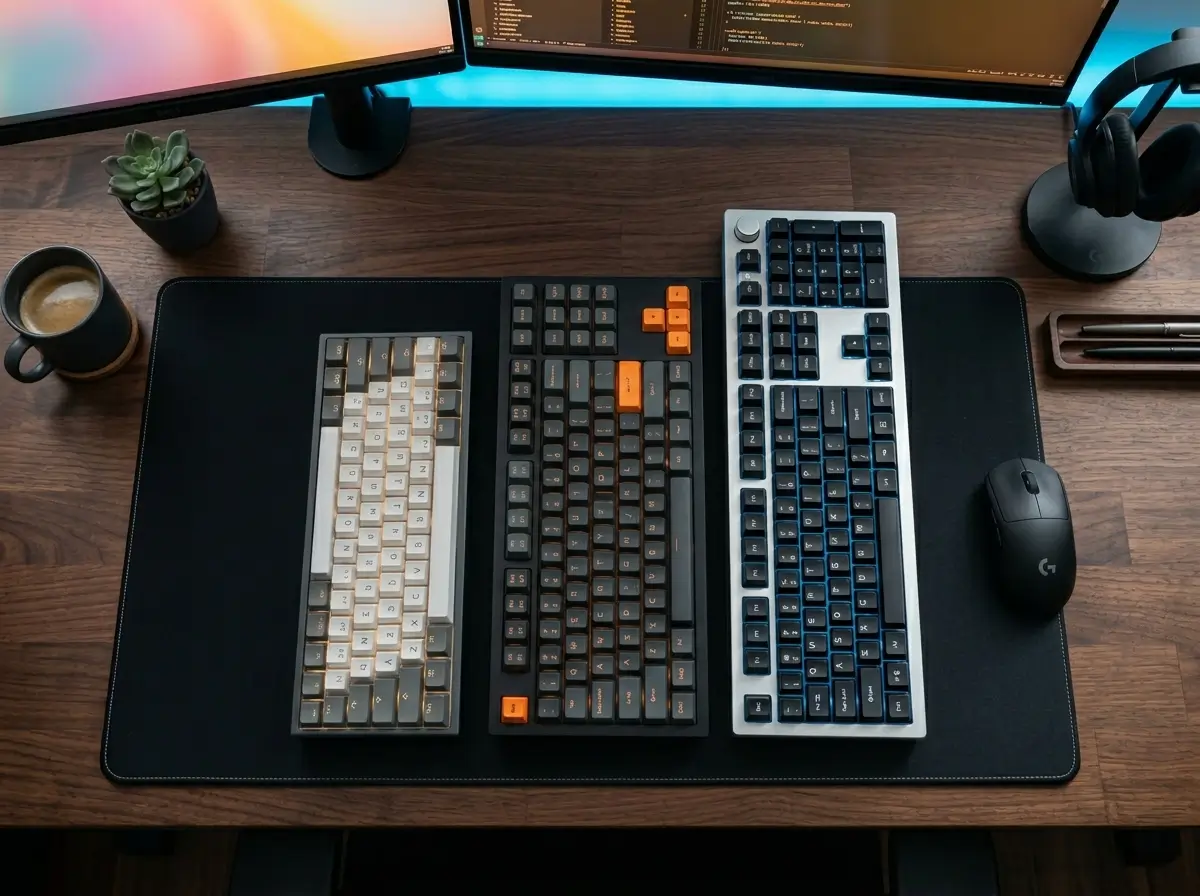
The 60% layout ruthlessly chops off the number pad, the navigation cluster, the arrow keys, and the F1-F12 function row. What is left is a tiny, hyper-efficient rectangle containing just the alphanumeric keys. This layout is heavily favored by competitive FPS players because it frees up a massive amount of physical desk space for wild, low-sensitivity mouse flicks.
If you want to optimize your gaming setup, you can pair this tiny footprint with cutting-edge analog technology. We highly recommend checking out our guide on the Best Hall Effect Magnetic Keyboards for Rapid Trigger Gaming, or if you just want to cut the cord completely, browse our top picks for the Best 60% Wireless Keyboards for Competitive Gaming and Small Desks.
2. The Tenkeyless (TKL): The Developer's Sweet Spot
Also known as an 80% layout, the TKL removes only the right-side number pad. It keeps the dedicated arrow keys and the function row completely intact. If you write Python scripts for desktop applications, design Tkinter UI elements, or heavily manage backend servers, having immediate, physical access to your arrow keys for code navigation is absolutely mandatory. Hiding those keys behind function layers will slow your workflow to a crawl.
For professionals managing a dual-monitor setup in a tight workspace, we reviewed the absolute Best Wireless TKL Keyboards for Cramped Desk Spaces. Alternatively, if you need a specific typing feel for long coding sessions, check out our roundup of the Best Wireless Mechanical Keyboards for Python Developers.
3. The Full-Size: The Data Entry Workhorse
The classic 104-key layout includes everything: letters, F-keys, navigation clusters, and a dedicated 10-key numeric pad. While they dominate desk space and force your mouse hand far out to the right (which can cause shoulder strain), they are utterly irreplaceable if your daily routine involves heavy Excel spreadsheets, accounting, or rapid numeric data entry.
The Verdict
- 👉 Buy a 60%: If you only care about gaming mouse space and never touch a spreadsheet.
- 👉 Buy a TKL: If you are a programmer, developer, or student who needs arrow keys but wants a cleaner desk.
- 👉 Buy a Full-Size: If your job relies on punching numbers.
Karim
Wireless desk enthusiast and mechanical keyboard obsessive. I test, review, and tear down tech to help you build the perfect, clutter-free setup.