Best Split Wireless Keyboards for Carpal Tunnel and Joint Relief
Repetitive strain injuries (RSI) and carpal tunnel syndrome turn simple daily typing into an agonizing chore. Standard straight keyboards force your hands to lie completely flat, twisting your forearms inward and compressing the median nerve in your wrist. True split ergonomic keyboards solve this physiological strain by physically separating or angling the keys to align with the natural, neutral resting posture of your arms and shoulders. By opening up your chest and reducing wrist pronation, these specialized decks remove immense pressure from your joints. We reviewed the top-rated split keyboards engineered to deliver immediate physical relief and reclaim your typing comfort.
Top Picks at a Glance
- The Unibody Comfort Standard: Logitech Ergo K860
- The True Separated Budget Champion: Perixx Periboard-612
- The Clinical Grade Powerhouse: Kinesis Freestyle2
1. The Unibody Comfort Standard: Logitech Ergo K860
The Logitech Ergo K860 is widely recognized for its approachable, highly effective unibody design. Certified by United States Ergonomics to actively lower muscle strain, it features a unique sloping, curved split keyframe that guides your hands into a highly natural posture. Below the keys sits a premium pillowed wrist rest layered with high-density memory foam, offering 54% more wrist support while cutting wrist bending by 25% compared to standard flat boards. The layout features scooped Perfect Stroke keys configured precisely to match the natural shape of your fingertips.
Ergonomic Split Angle & Muscle Relief Rating: 9.2/10. An integrated adjustable palm lift offers customized tilt legs of 0, -4, and -7 degrees to protect typing postures whether you are seated or standing at a desk.
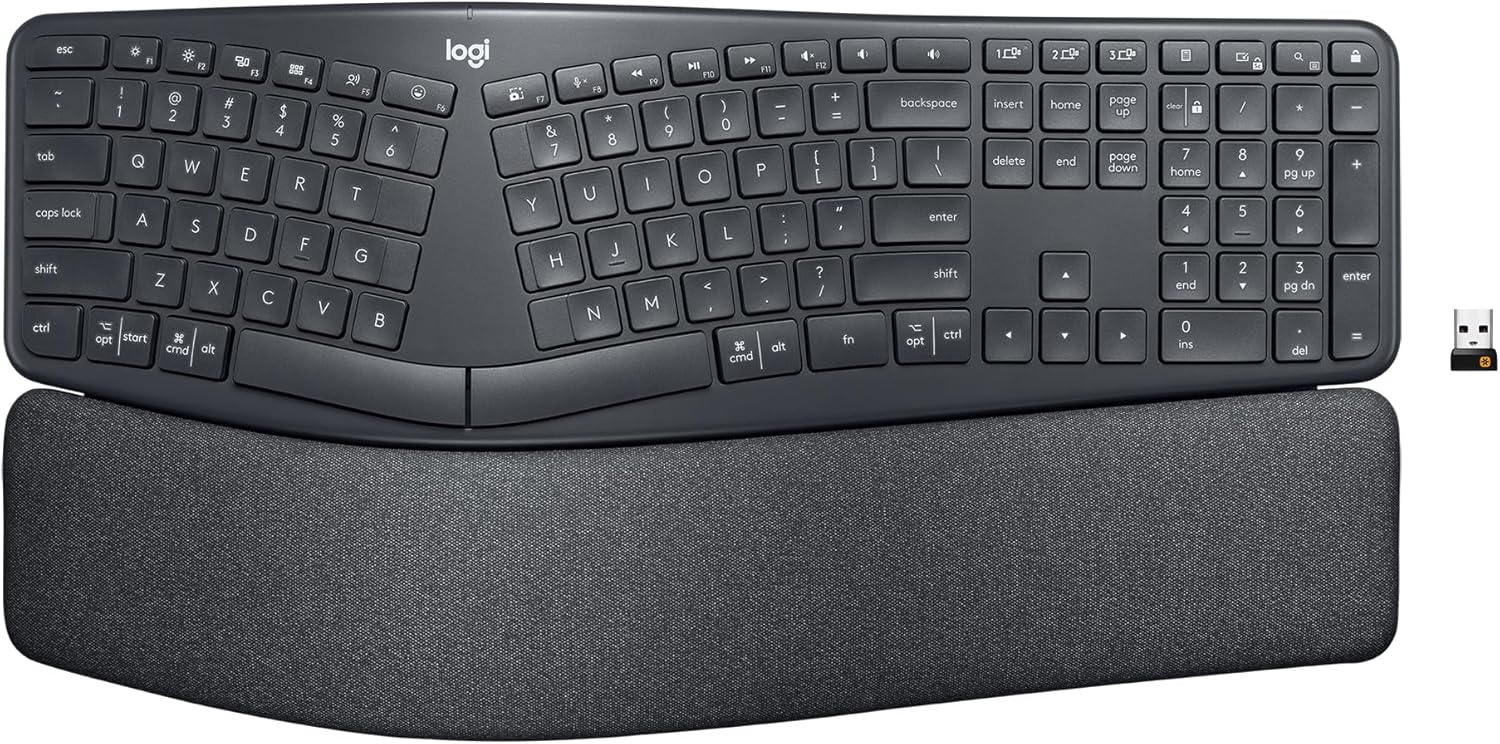
Logitech Ergo K860
- ✅ Pros: Immediate out-of-the-box comfort without assembly, pillowed memory foam wrist rest, perfect curved layout.
- ❌ Cons: Unibody design means you cannot adjust the separation distance between hands.
2. The True Separated Budget Champion: Perixx Periboard-612
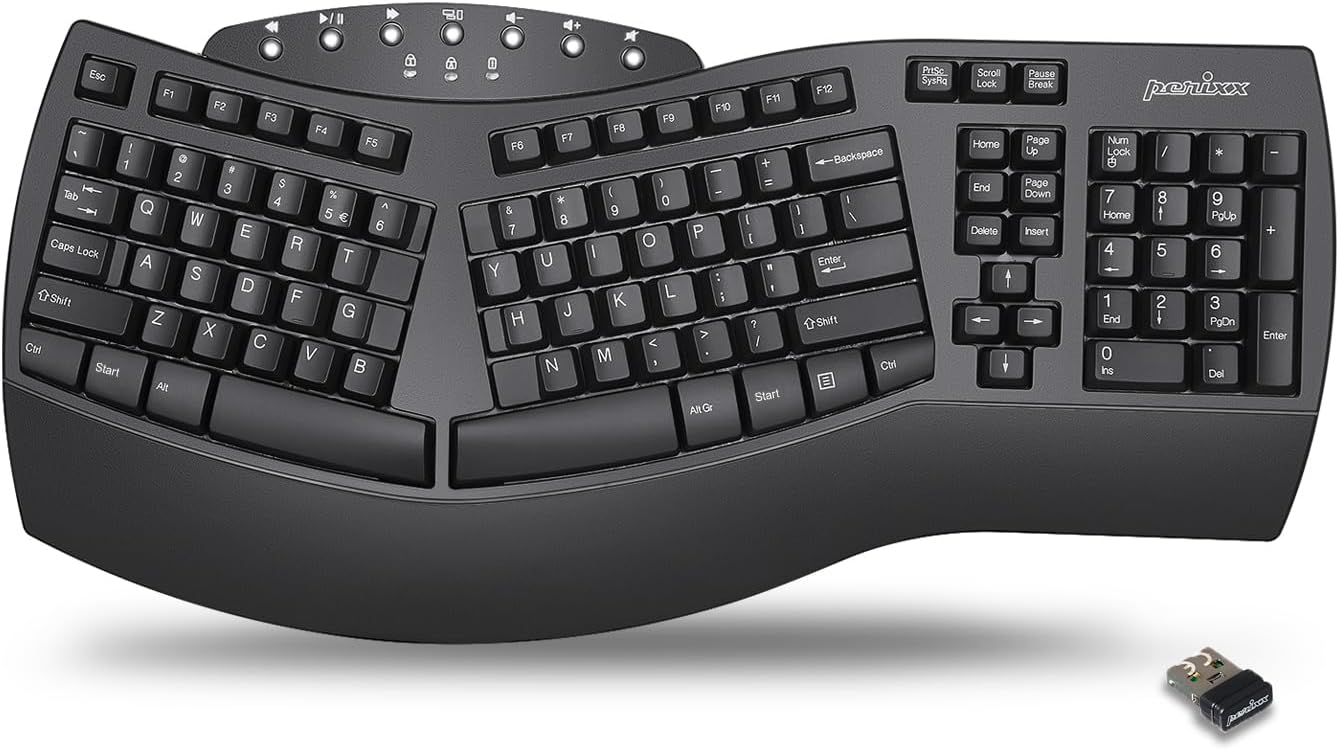
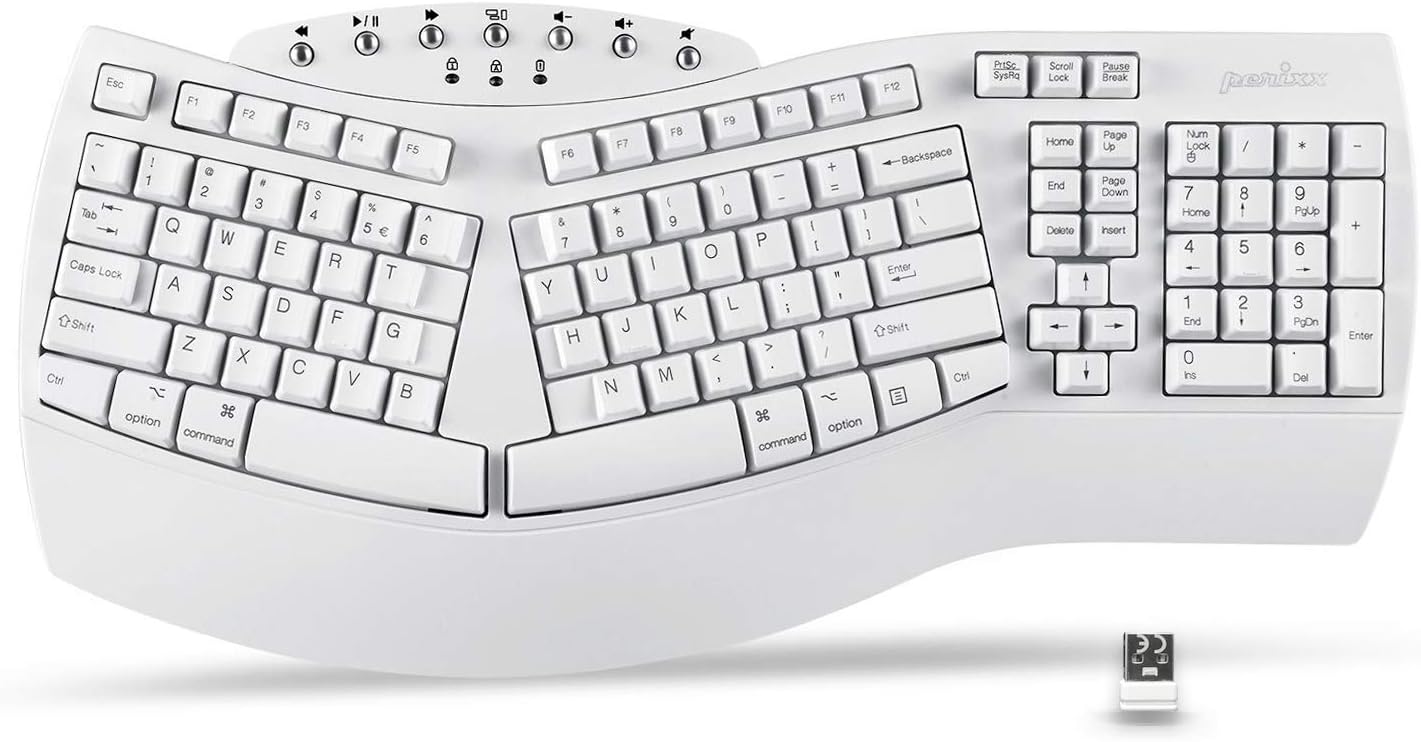
For users wanting to try a professional split layout without spending a fortune, the Perixx Periboard-612 is a reliable contender. It features a distinct split-key sets layout paired with an integrated palm rest to release median nerve pressure and alleviate forearm tension. The keys provide a long travel distance with satisfying, tactile responsive feedback that reduces accidental double-strikes. It supports dual wireless modes, allowing users to flip between high-speed 2.4GHz wireless and Bluetooth configurations via a quick hardware switch located beneath the chassis.
Ergonomic Split Angle & Muscle Relief Rating: 8.7/10. It includes full cross-platform software mapping with additional interchangeable option keycaps for Mac and Windows layouts matching native hotkeys.
Swipe horizontally to view color options
Perixx Periboard-612
- ✅ Pros: Extremely affordable, full dual wireless modes, highly tactile key feedback.
- ❌ Cons: Bulky form factor takes up significant desk space, heavy relative to modern boards.
3. The Clinical Grade Powerhouse: Kinesis Freestyle2
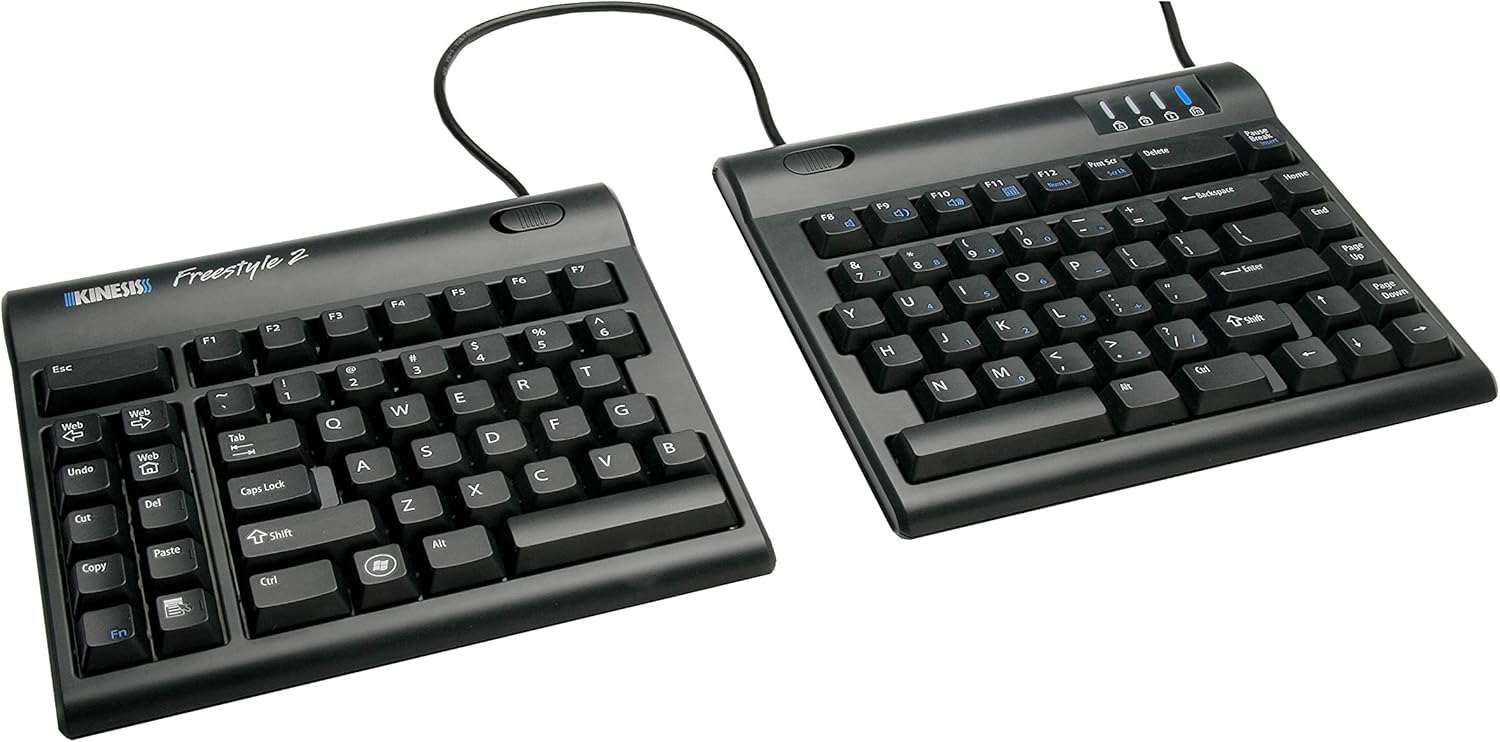
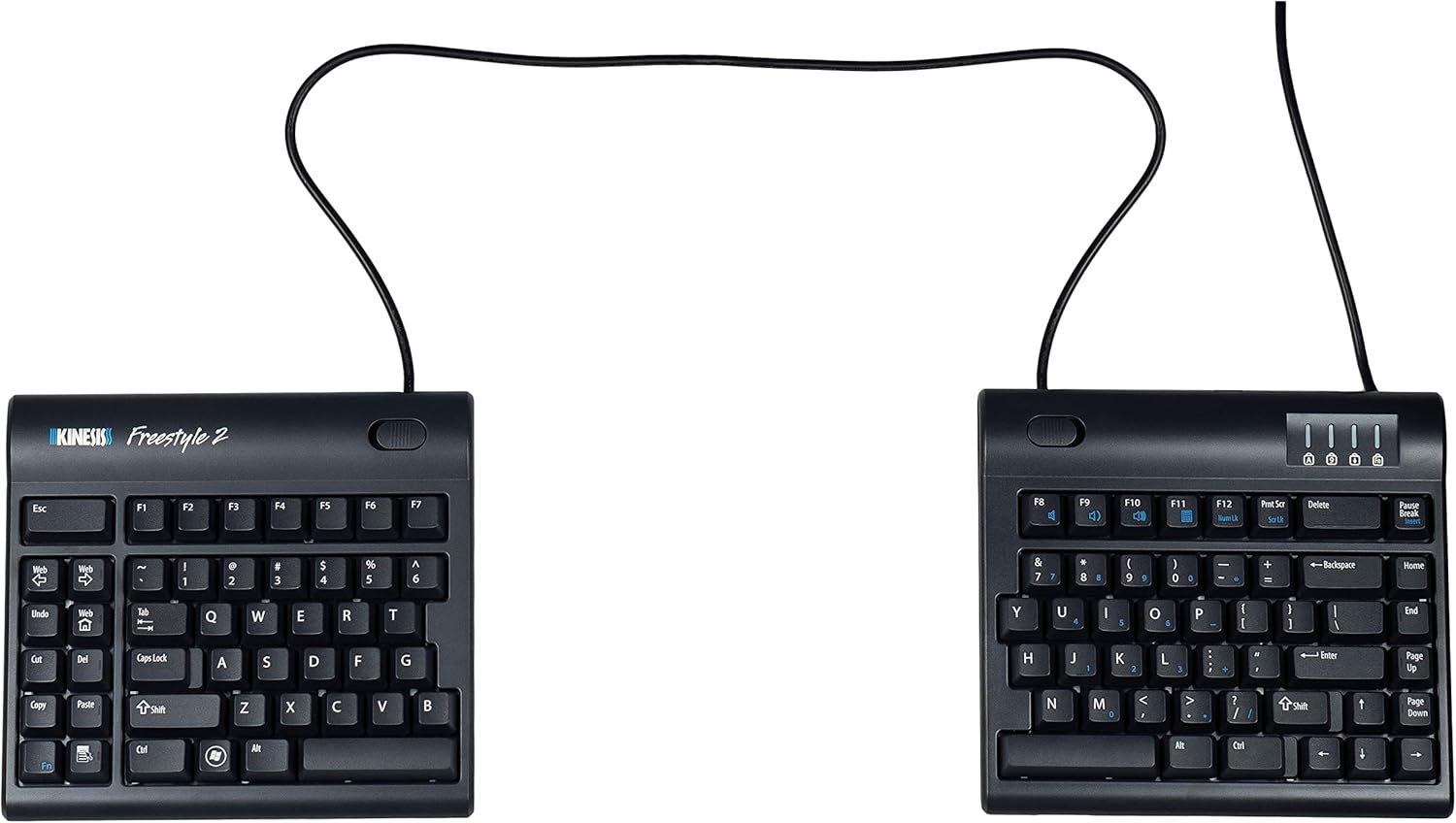
When a fixed unibody board isn't enough, the Kinesis Freestyle2 delivers authentic medical-grade joint relief through complete layout separation. Unlike standard fixed frames, the Freestyle2 splits into two distinct modules connected by an adjustable 9-inch tether cable. This lets you position the key clusters directly at shoulder-width or angle them independently to perfectly match your specific body frame. The custom low-force membrane switches require minimal activation pressure, vastly lowering finger impact fatigue across long shifts.
Ergonomic Split Angle & Muscle Relief Rating: 9.8/10. The absolute gold standard for diagnosed carpal tunnel. By permitting completely unrestricted separation and rotation angles, it eliminates bad elbow positioning and wrist pronation entirely.
Swipe horizontally to view color options
Kinesis Freestyle2
- ✅ Pros: Full 9-inch physical separation, completely customizable tenting angles, ultra-low force keys.
- ❌ Cons: Expensive, steep learning curve to type efficiently at separated angles.
Before investing in advanced ergonomic hardware, learn how different connection types affect performance in our technical breakdown of Bluetooth vs. 2.4GHz wireless protocols.
The Final Verdict: Who Wins?
Get the Logitech Ergo K860 if:
- You want a premium, sleek unibody build with an exceptional memory foam cushion that works seamlessly right out of the box.
Get the Perixx Periboard-612 if:
- You want an affordable entry point into split typing ergonomics with flexible dual-mode wireless capabilities.
Get the Kinesis Freestyle2 if:
- You suffer from intense joint strain or carpal tunnel and need full physical adjustment to match your shoulder width.
Frequently Asked Questions
How long does it take to adapt to a split keyboard layout?
Because your muscles have muscle memory for flat setups, you may notice a slight speed drop for the first 3 to 7 days. Once your arms adjust to the healthy angle, most typists regain their full speed with significantly less strain.
Can a split keyboard help with shoulder and neck tension?
Absolutely. Standard keyboards force your hands inward, causing your shoulders to roll forward. Separating a split keyboard allows your chest to open up, instantly relieving tension across your upper back and neck tissues.
Karim
Wireless desk enthusiast and mechanical keyboard obsessive. I test, review, and tear down tech to help you build the perfect, clutter-free setup.