Bluetooth vs. 2.4GHz Wireless: Which Keyboard Tech is Actually Better?
When cutting the cord on your desktop setup, you will immediately face a fundamental choice: Bluetooth or 2.4GHz wireless? While both technologies successfully eliminate cable clutter, they handle data transmission in entirely different ways. Selecting the wrong protocol can mean the difference between winning a high-stakes competitive match or lagging out, and it can dictate how smoothly you transition between your laptop, tablet, and phone during a busy workday. In this comprehensive technical breakdown, we look beneath the surface of both protocols to analyze input latency, polling rates, battery consumption, and device pairing capabilities so you can choose the exact technology that fits your active workflow.
1. Input Latency and Polling Rates: The Speed Gap
The single most dramatic difference between Bluetooth and 2.4GHz RF (Radio Frequency) connections comes down to absolute speed. This is measured by the polling rate—how many times per second the keyboard transmits keypress data to your computer.
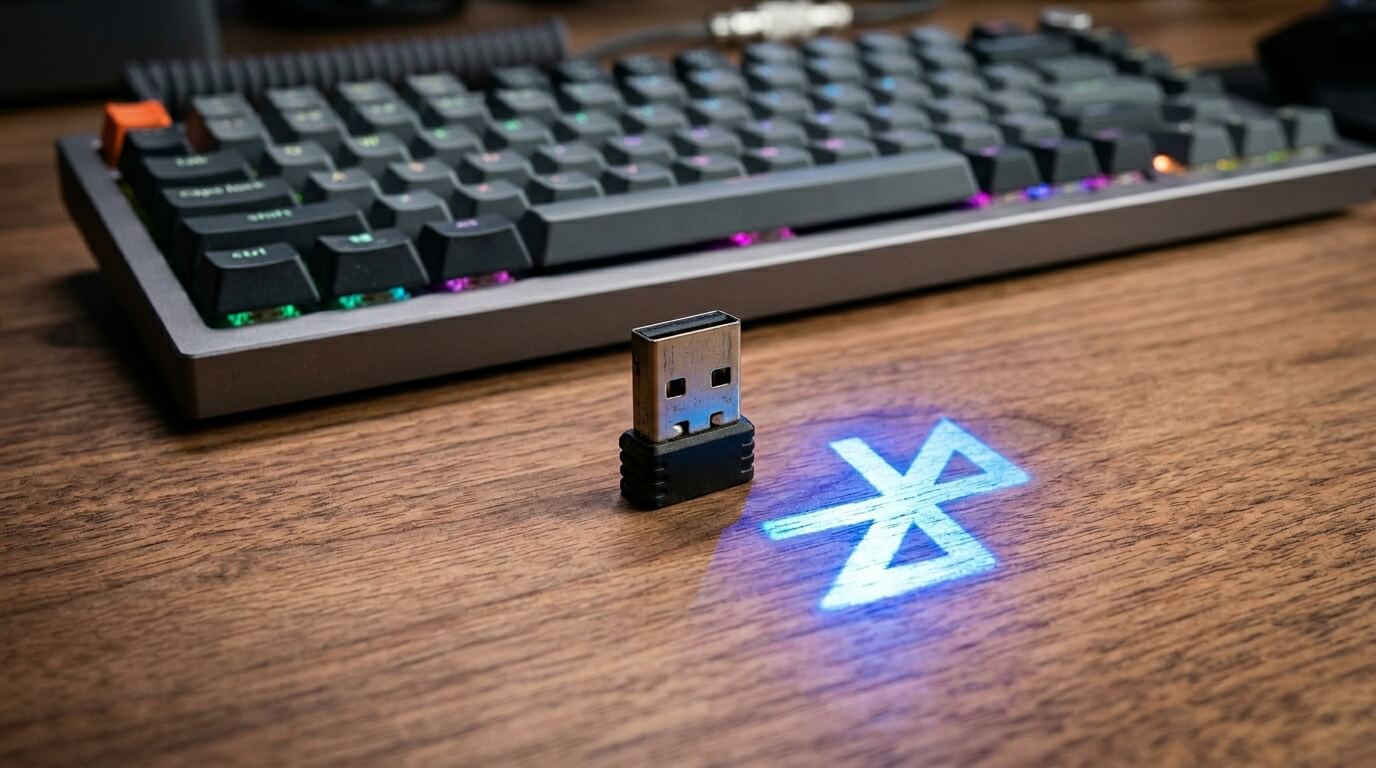
- 2.4GHz Wireless: Operates at a standard 1,000Hz polling rate via a dedicated USB dongle. This translates to an incredibly low 1-millisecond response time. The data is sent via a direct, unshared highway to the receiver, ensuring near-zero delay.
- Bluetooth: Typically tops out at an average polling rate of 90Hz to 125Hz, resulting in an input latency of roughly 8 to 11 milliseconds. While this delay is unnoticeable when typing text or updating spreadsheets, it causes a noticeable bottleneck during fast-paced competitive gaming.
2. Multi-Device Flexibility and Compatibility
Where Bluetooth falls behind in raw speed, it completely dominates in terms of hardware versatility and everyday convenience.
Because Bluetooth is natively integrated into virtually every modern motherboard, laptop, smartphone, and tablet, it requires zero external hardware to function. Most modern Bluetooth keyboards allow you to pair with up to three or four individual devices simultaneously and hop between them using hardware hotkeys. Conversely, 2.4GHz wireless requires a physical USB-A or USB-C dongle plugged into the host machine. If you lose that tiny USB receiver, or if your device lacks standard USB ports (like an iPad), the keyboard becomes completely unusable over that protocol.
3. Signal Interference and Connection Stability
Both protocols technically operate over the exact same 2.4GHz ISM public wireless frequency band, meaning they share the airwaves with baby monitors, household microwaves, and your home Wi-Fi router. However, they handle traffic jams differently:
- 2.4GHz Proprietary RF: Uses custom adaptive frequency-hopping techniques optimized by individual manufacturers (such as Logitech’s LIGHTSPEED or Razer’s Hyperspeed). It locks down a tight, robust link that resists interference, making it ideal for crowded esports environments.
- Bluetooth: Uses standard frequency-hopping but can struggle with packet loss if your desk is surrounded by multiple active wireless signals, smart home hubs, or unshielded USB cables. This can occasionally manifest as random stuttering or missed keystrokes.
Quick Protocol Reference Grid
| Feature | 2.4GHz Wireless | Bluetooth |
|---|---|---|
| Average Latency | ~1 Millisecond (Instant) | 8 - 12 Milliseconds (Delayed) |
| Dongle Required? | Yes (USB-A or USB-C) | No (Native Integration) |
| Multi-Device Pairing | Typically 1 Device per Dongle | 3 to 4 Devices Simultaneously |
| Battery Efficiency | High Consumption (Shorter Life) | Ultra-Low Consumption (Longer Life) |
If you are an active gamer or a high-speed typist who needs the ultra-low latency of a 2.4GHz connection in a compact form factor, check out our selection of the best wireless TKL keyboards for cramped desk spaces.
The Verdict: Which One Should You Choose?
Choosing between these two options depends entirely on how you spend your time at your desk:
- Choose 2.4GHz Wireless if: You play competitive multiplayer games, demand instantaneous key registering, use a stationary desktop PC, and want a connection that perfectly mimics the performance of a traditional copper wire.
- Choose Bluetooth if: You are a writer, programmer, or office worker who frequently toggles between a laptop, phone, and tablet, wants maximum battery longevity, and travels constantly without wanting to lose a loose USB receiver.
Frequently Asked Questions
Q: Can a wireless keyboard have both Bluetooth and 2.4GHz built-in?
A: Yes! Many high-end modern keyboards are 'Tri-Mode' decks. They feature a hardware switch on the back that allows you to use a high-speed 2.4GHz dongle on your main gaming rig and instantly flip over to Bluetooth when typing an email on your iPad.
Q: Does Bluetooth use more battery than 2.4GHz?
A: No, Bluetooth Low Energy (BLE) protocols are highly optimized for power saving. A keyboard running on Bluetooth can easily outlast a 2.4GHz connection by weeks, or even months, on a single charge cycle.
Karim
Wireless desk enthusiast and mechanical keyboard obsessive. I test, review, and tear down tech to help you build the perfect, clutter-free setup.