Best Ergonomic Bluetooth Keyboards for Wrist Pain
If you are typing 8 to 10 hours a day, a standard flat keyboard forces your wrists into an unnatural outward bend. Over time, this leads to muscle strain, fatigue, and even carpal tunnel. We have analyzed the top split-frame ergonomic keyboards that naturally align your forearms and wrists. Whether you need a premium pillowed rest or a backlit budget option, here are the best ergonomic Bluetooth keyboards to upgrade your workspace and eliminate wrist pain. A major step towards ergonomic relief is adopting the best split wireless keyboards, which allow for a more natural wrist angle. It's also incredibly convenient if these ergonomic setups are among the best multi-device Bluetooth keyboards, letting you seamlessly switch between your work laptop and home desktop.
Top Picks at a Glance
- Best Overall: Logitech ERGO K860
- Best Budget & Backlit: ProtoArc EK01 Plus
1. The Best Overall: Logitech ERGO K860
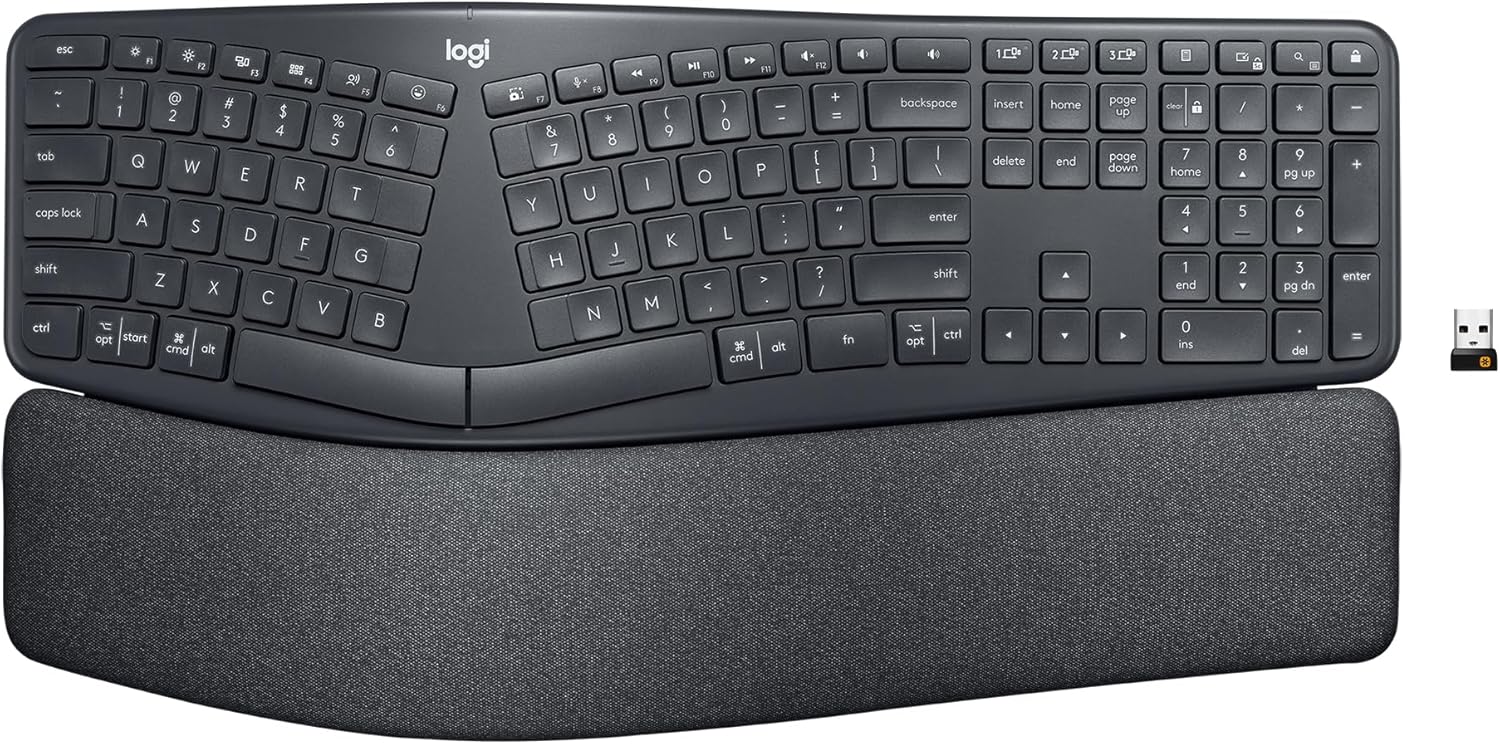
The Logitech ERGO K860 is the undisputed king of ergonomic keyboards. Certified by United States Ergonomics, it features a curved, split keyframe that instantly places your hands, wrists, and forearms in a more natural typing posture. The standout feature is the pillowed wrist rest—featuring a memory foam layer that offers 54% more wrist support and reduces wrist bending by 25% compared to standard keyboards.
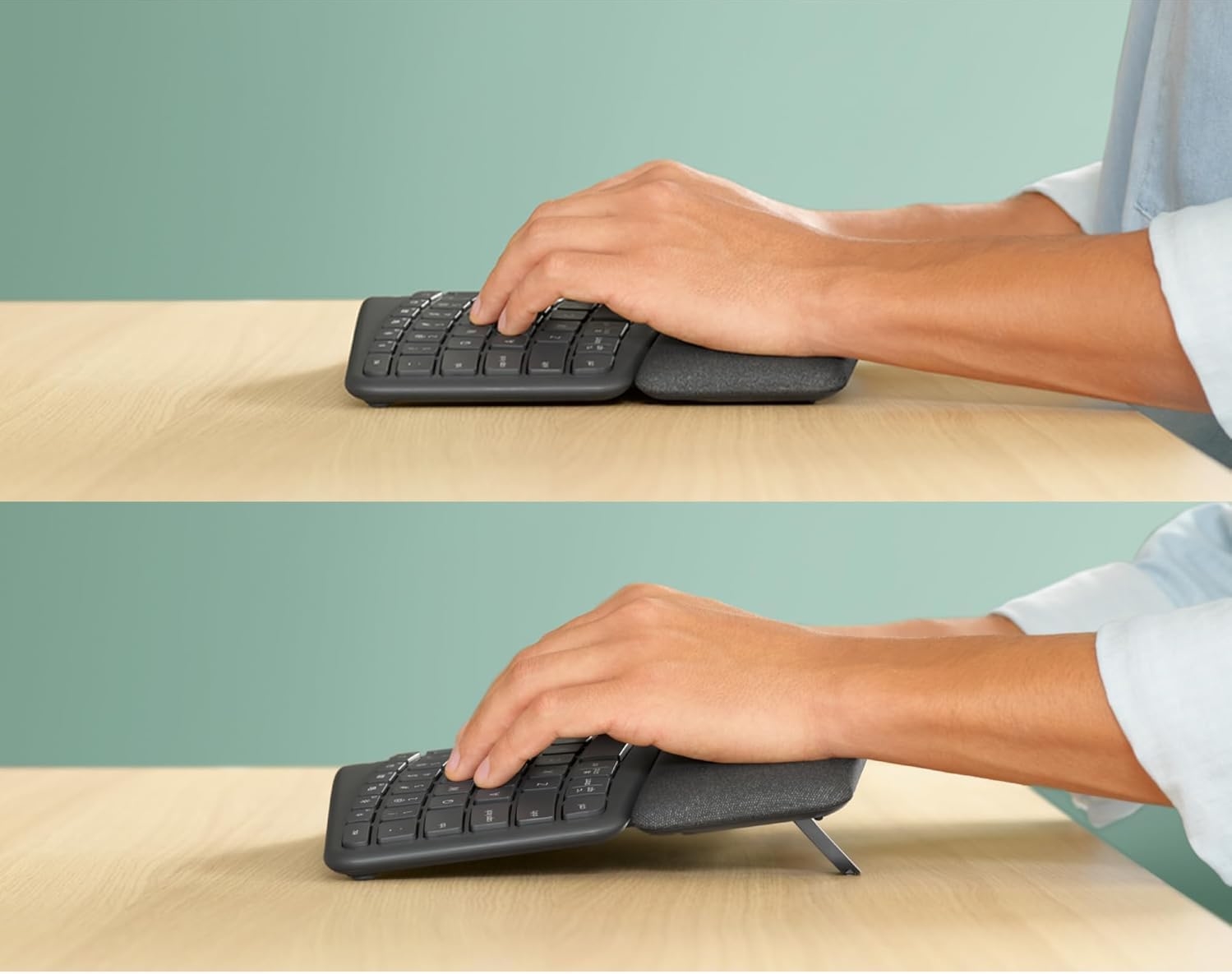
It also features adjustable palm lift legs hidden underneath the wrist rest (0, -4, and -7 degrees), keeping your wrists perfectly aligned whether you are sitting at a standard desk or using a standing desk. While it carries a premium price tag, it is a necessary investment for anyone suffering from daily wrist fatigue.
Swipe horizontally to view color options
Logitech ERGO K860
- ✅ Pros: Incredible pillowed memory foam rest, adjustable tilt for standing desks, seamless multi-device switching.
- ❌ Cons: Expensive, takes up significant desk space, lacks backlighting.
2. The Best Backlit Option: ProtoArc EK01 Plus
If you want the health benefits of a split-frame keyboard without the massive price tag, the ProtoArc EK01 Plus is an exceptional alternative. It features a similar curved design to reduce forearm strain and includes a built-in cushioned wrist rest. Unlike the Logitech, the ProtoArc offers three levels of soft white LED backlighting, making it perfect for dimly lit home offices.
It also features a massive 2000mAh rechargeable battery via USB-C. While it lacks the extreme premium feel of the K860's memory foam, it provides incredible value, dual Bluetooth channels, and a full-size layout. Note that it comes in multiple colorways, and pricing varies slightly depending on the aesthetic you choose.
If wrist pain isn't your main concern and you just need something silent for the office, check out our guide to the best quiet keyboards for Zoom calls.
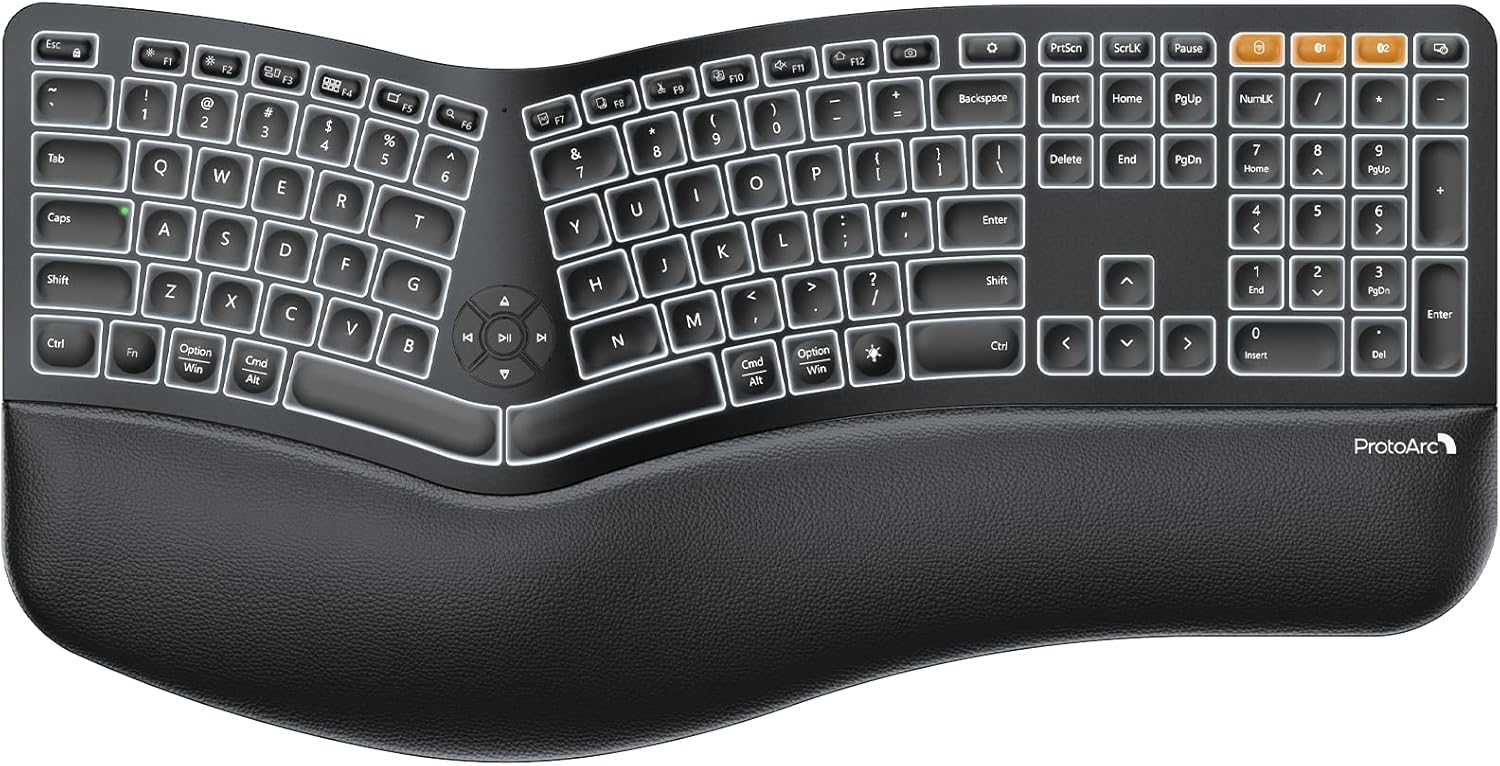
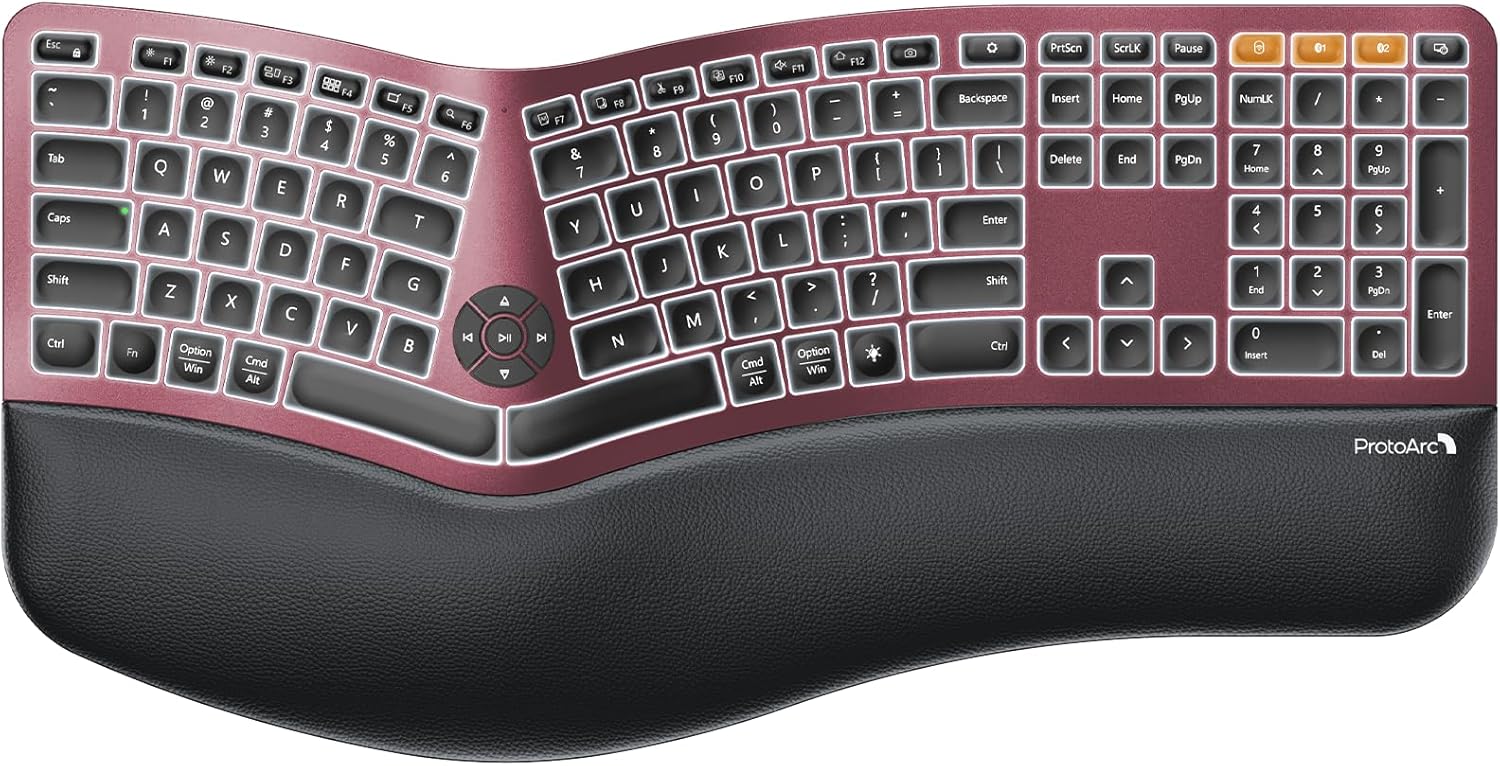
ProtoArc EK01 Plus
- ✅ Pros: Adjustable backlighting, excellent price point, 2000mAh rechargeable battery, multiple color options.
- ❌ Cons: Keys are not programmable, wrist rest isn't as plush as premium models.
Who Should Buy Which?
Buy the Logitech ERGO K860 if:
- You have severe wrist pain.
- You use a standing desk (needs negative tilt).
- You want the absolute best memory foam support available.
Buy the ProtoArc EK01 Plus if:
- You work in dim lighting and need backlighting.
- You prefer a rechargeable battery over AA batteries.
- You want a budget-friendly entry into ergonomic layouts.
Frequently Asked Questions
Is there a learning curve for split keyboards?
Yes. It typically takes about 1 to 2 weeks for your muscle memory to adjust to the split layout. Your typing speed may drop initially, but the long-term health benefits are worth the adjustment period.
Does a wrist rest actually help?
Absolutely. A proper wrist rest elevates your palms to keep your wrists in a neutral, straight position rather than bending upward to reach the keys, significantly reducing carpal tunnel strain.
Karim
Wireless desk enthusiast and mechanical keyboard obsessive. I test, review, and tear down tech to help you build the perfect, clutter-free setup.