Linear vs. Tactile vs. Clicky: Which Mechanical Switch is Right for You?
Entering the world of custom mechanical keyboards can feel like learning a foreign language. If you just picked up a wireless barebones kit, your next major hurdle is choosing the engine that drives your board: the mechanical switches. Every switch on the market—whether it is made by Cherry, Gateron, Kailh, or Akko—falls into one of three distinct behavioral categories: Linear, Tactile, or Clicky. Choosing the wrong one can lead to typing fatigue, annoyed coworkers, or sluggish gaming performance. Here is the ultimate breakdown of how each switch type operates, sounds, and feels.
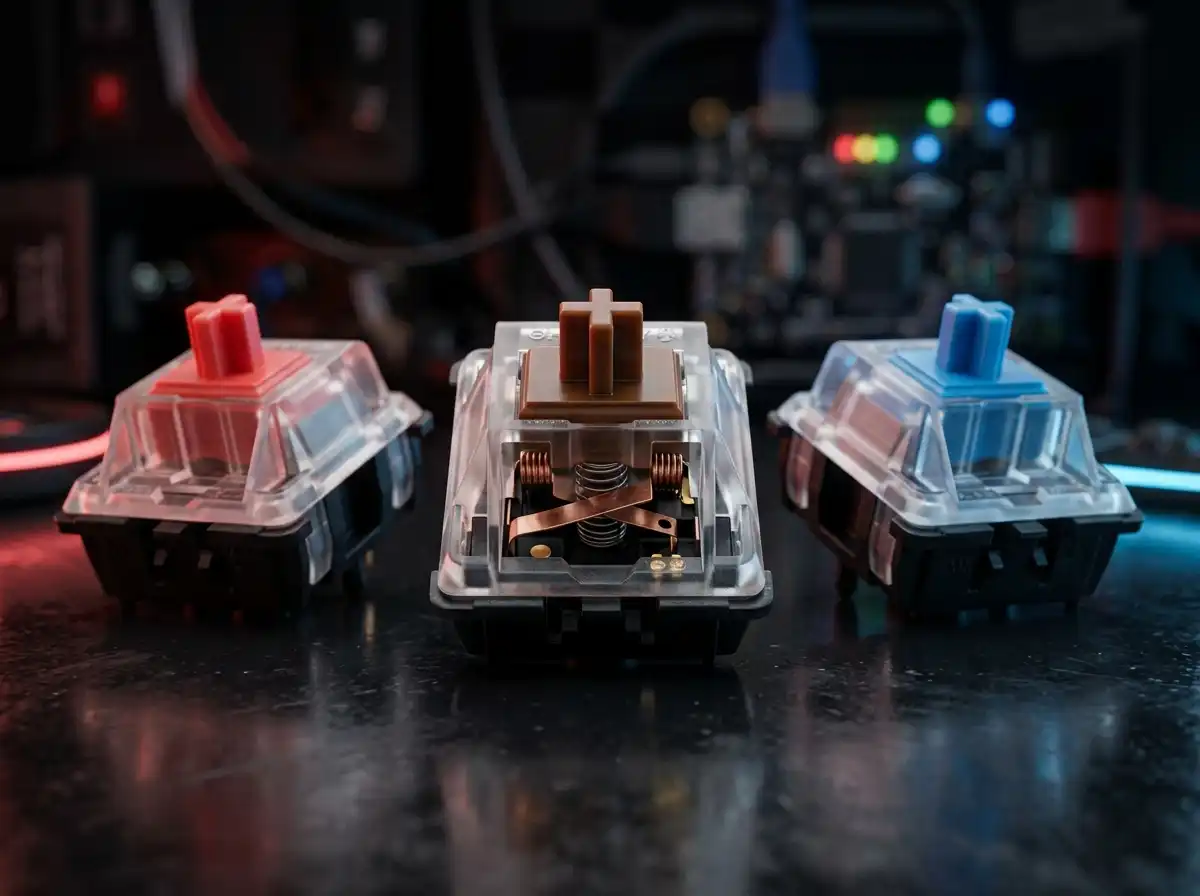
🎛️ Mechanical Switch Behavior Matrix
Linear (Red)
Smooth, consistent downward keystroke with zero physical feedback.
Tactile (Brown)
Features a distinct physical "bump" mid-press to confirm the keystroke.
Clicky (Blue)
Combines a physical bump with a loud, audible "click" sound mechanism.
1. Linear Switches (The Gamers' Choice)
Linear switches (traditionally identified by red, black, or yellow stems) are defined by their perfectly smooth travel. From the moment you press the key to the moment it bottoms out against the keyboard plate, there is zero tactile feedback or physical interruption. Because there is no mechanical bump to overcome, linears actuate incredibly fast, making them the gold standard for competitive gaming where rapid, repeated key presses are essential.
2. Tactile Switches (The Typists' Sweet Spot)
Tactile switches (usually featuring brown or clear stems) provide a noticeable physical "bump" roughly halfway through the keystroke. This bump acts as physical confirmation that the keyboard has registered your input, allowing you to move your finger to the next key without needing to "bottom out" the current one. This precise feedback makes tactiles the absolute favorite for heavy typists, programmers, and writers, significantly reducing typing errors and finger fatigue.
3. Clicky Switches (The Classic Typewriter Feel)
Clicky switches (almost universally identified by blue or green stems) take the physical bump of a tactile switch and pair it with a specialized mechanical "click jacket" or "click bar." Every time the key actuates, it generates a sharp, high-pitched, satisfying audible click. While they offer incredible feedback and a nostalgic typewriter aesthetic, they are notoriously loud. We strongly advise against using clicky switches in open-plan offices, dorm rooms, or during unmuted Zoom calls.
Now that you know exactly which engine fits your typing style, it is time to build your dream board. Check out our curated list of the Best Custom Barebones Wireless Keyboard Kits to find the perfect hot-swappable chassis for your new switches.
Karim
Wireless desk enthusiast and mechanical keyboard obsessive. I test, review, and tear down tech to help you build the perfect, clutter-free setup.