Top 4 Smart TV Keyboards to Watch World Cup 2026 (Remote Upgrades from $2)
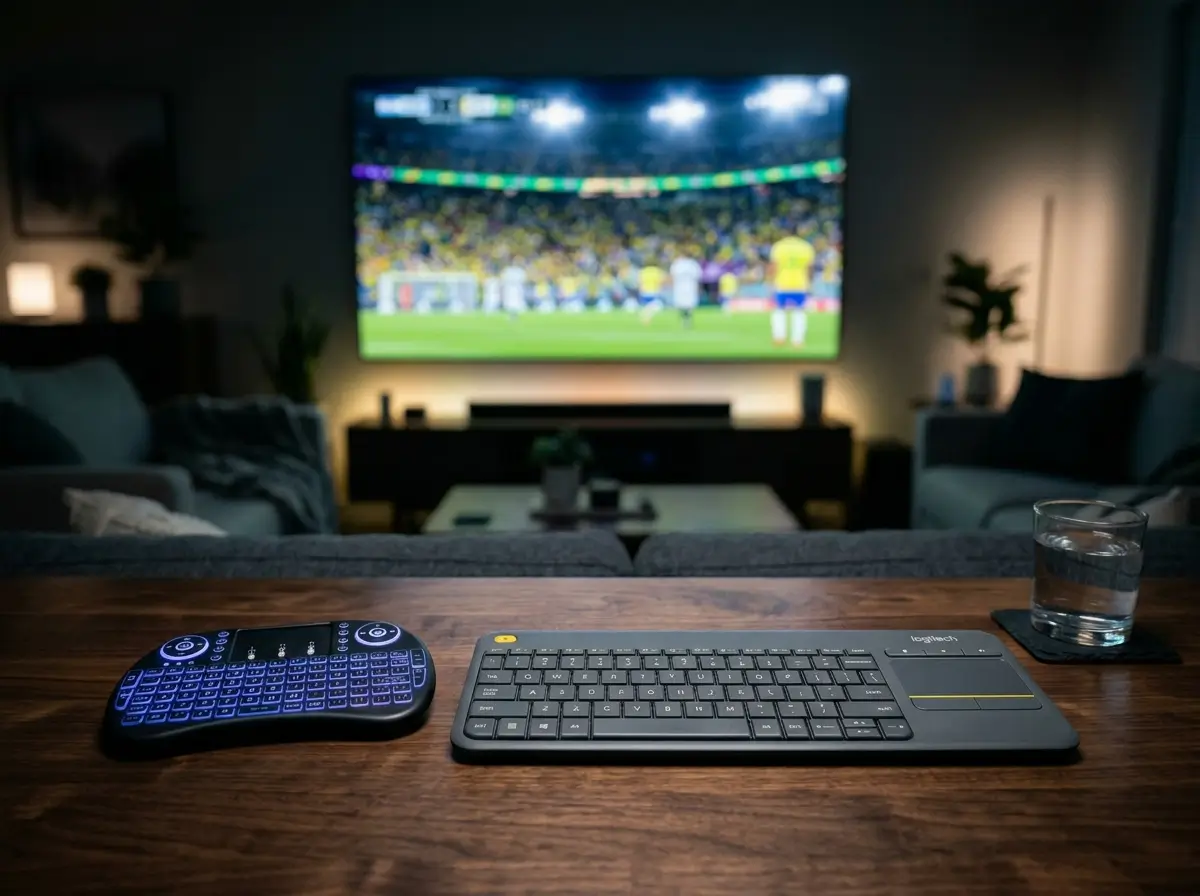
The World Cup 2026 matches are moving fast, and there is nothing more frustrating than trying to search for a hidden live stream, type out a high-quality streaming URL, or jump into a match commentary chat room using a standard, clunky TV remote D-pad. Upgrading your sofa setup with a mini wireless keyboard featuring an integrated touchpad completely transforms your home theater experience. We have selected the top four price-to-performance media control upgrades, starting at just over two dollars, to ensure you never miss a kickoff. Navigating streaming apps from the couch is far easier when your input device features an integrated mouse, which is why we also strongly recommend checking out the best wireless keyboards with trackpads.
Top Picks at a Glance
- The Absolute Impulse Buy: i8 Backlit Mini Keyboard
- The Couch Gamer Upgrade: V8 Ergonomic Controller
- The Multipurpose Pick: MRSVI A8 Presenter Wand
- The Premium Gold Standard: Logitech K400 Plus
1. The Absolute Impulse Buy: i8 Backlit Mini Keyboard
At just over $2, this is the viral king of home theater adjustments. It features a full QWERTY keyboard layout combined with a multi-touch navigation trackpad and vibrant 7-color ambient backlighting. Note that this specific rock-bottom pricing tier utilizes AAA batteries rather than a lithium-ion internal charging pack, which is perfect if you want to swap fresh power cells instantly mid-match without waiting on a USB cord.
The viral king of home theater. Unbeatable price-to-performance.
Hardware Spec Analytics
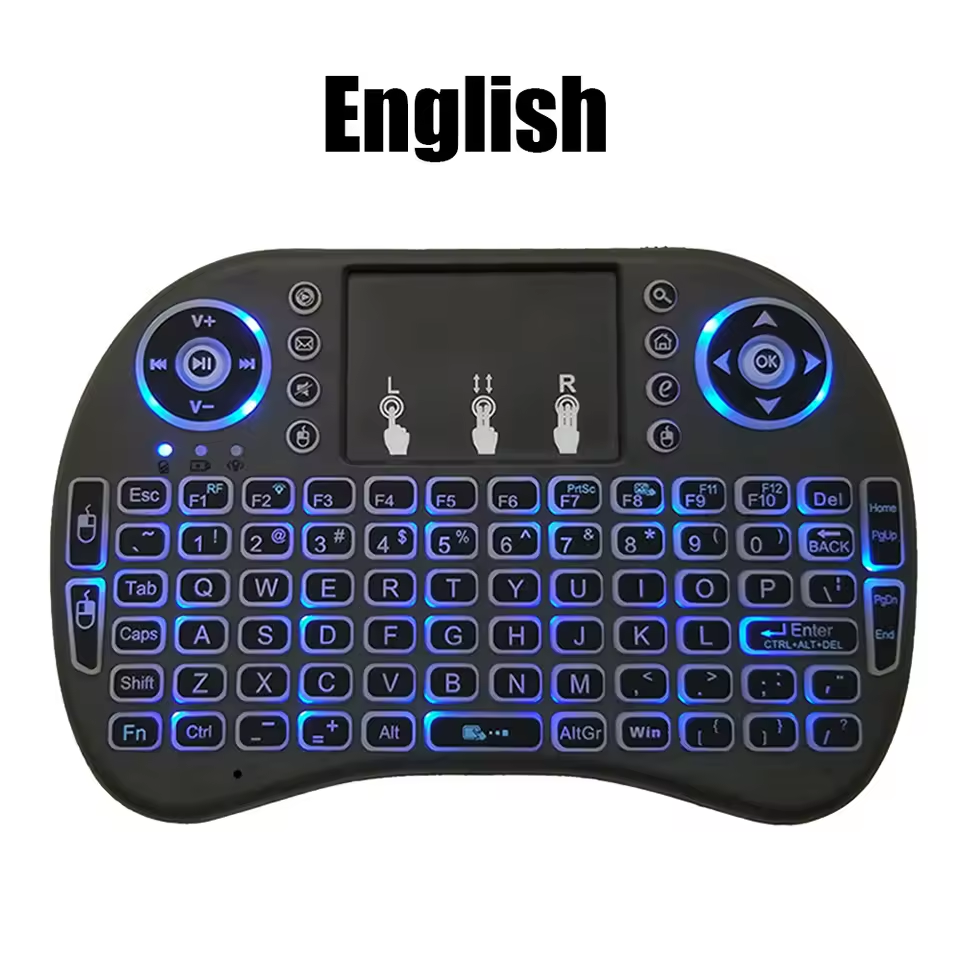
i8 Backlit Mini Keyboard
- ✅ Pros: Unbeatable factory-direct pricing; full QWERTY layout; vibrant 7-color RGB backlighting.
- ❌ Cons: Uses AAA batteries instead of an integrated rechargeable lithium-ion pack.
2. The Couch Gamer Upgrade: V8 Ergonomic Controller Board
If you want an upgrade that rests more comfortably in your hands during intense match moments, the V8 is elite. Shaped like a modern console gaming pad, it introduces rubberized dual-side handles and an upgraded centered multi-gesture trackpad. It packs a gorgeous 7-color background illumination matrix, making it perfect for dim media rooms or viewing sessions with the main household lights turned down.
Elite ergonomic grip and vibrant illumination for dark rooms.
Hardware Spec Analytics
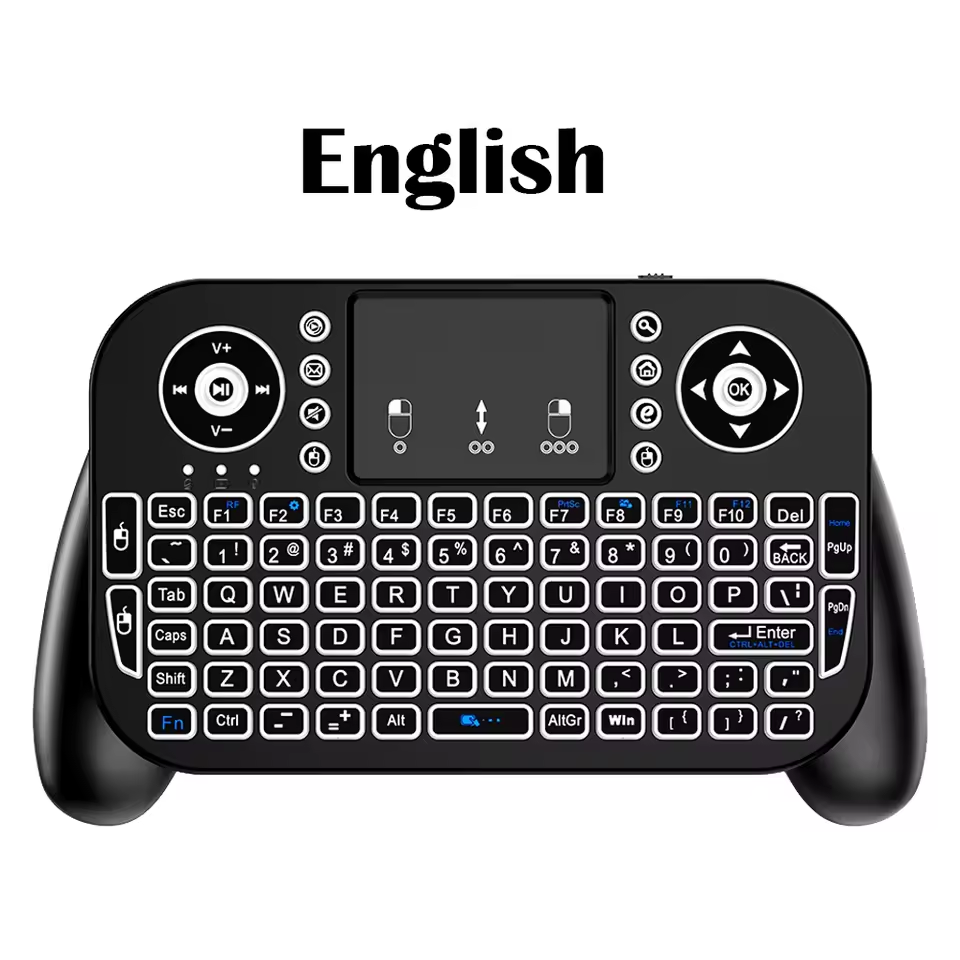
V8 Ergonomic Controller Board
- ✅ Pros: Console-style grips prevent hand fatigue; highly responsive centered trackpad; premium aesthetic.
- ❌ Cons: Slightly bulkier than flat, wand-style remotes.
3. The Multipurpose Pick: MRSVI A8 Presenter Wand
For users who dislike wide controller layouts and prefer a single-handed, remote-style footprint, the MRSVI A8 is brilliant. It features a unique, vertical orientation with a fully accessible micro-keyboard layout and clean top-mounted trackpad. As an added performance feature, it incorporates a built-in infrared presentation laser, doubling seamlessly as a professional classroom presentation tool when game day ends.
Unique vertical orientation with a built-in presentation laser.
Hardware Spec Analytics
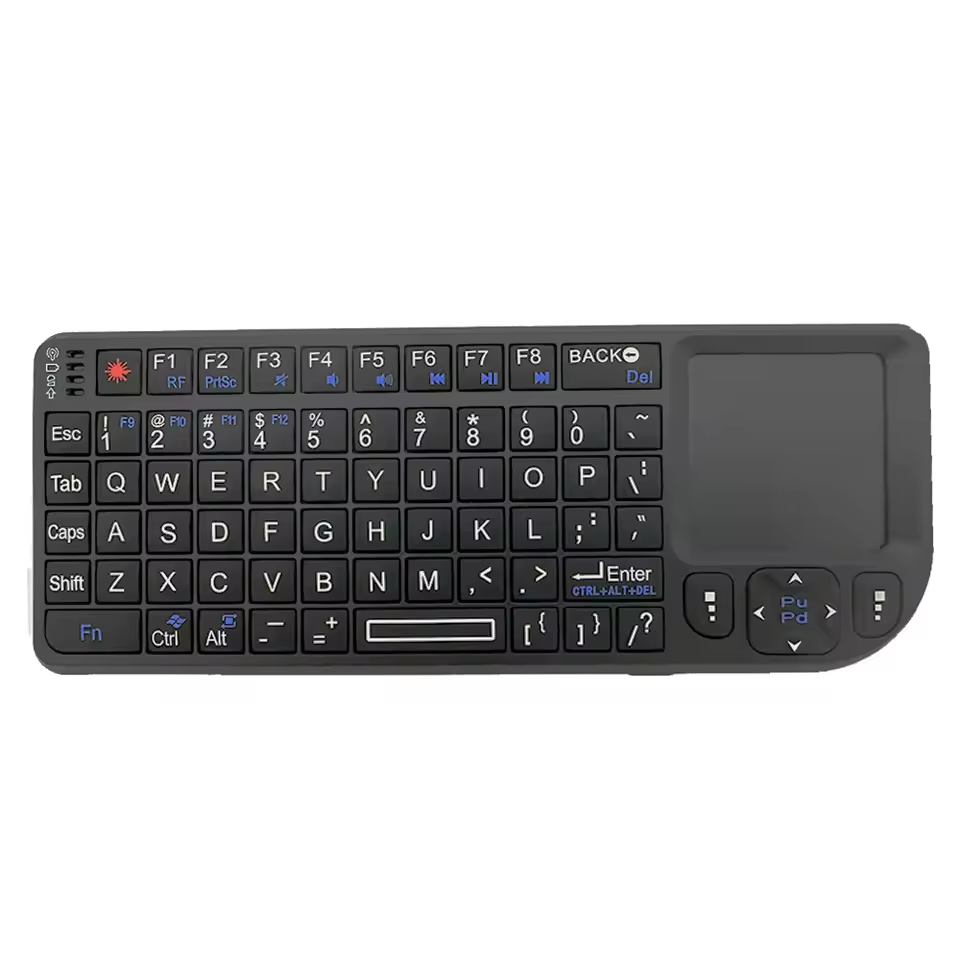
MRSVI A8 Presenter Wand
- ✅ Pros: Standard TV remote footprint; integrated infrared laser pointer; perfect for professional presentations.
- ❌ Cons: Vertical thumb-typing layout takes a day to get fully accustomed to.
4. The Premium Gold Standard: Logitech K400 Plus Full Lap Board
For users who demand a full, comfortable two-handed typing experience directly on their lap, the legendary Logitech K400 Plus has no true competitor. It features robust mechanical key stabilizers, dedicated media control shortcuts, and a massive right-aligned comfort trackpad. Note that Amazon is running a high-volume promotion on this premium peripheral, meaning it is currently much cheaper to buy on Amazon than importing it from AliExpress.
The legendary two-handed lap typing experience.
Hardware Spec Analytics
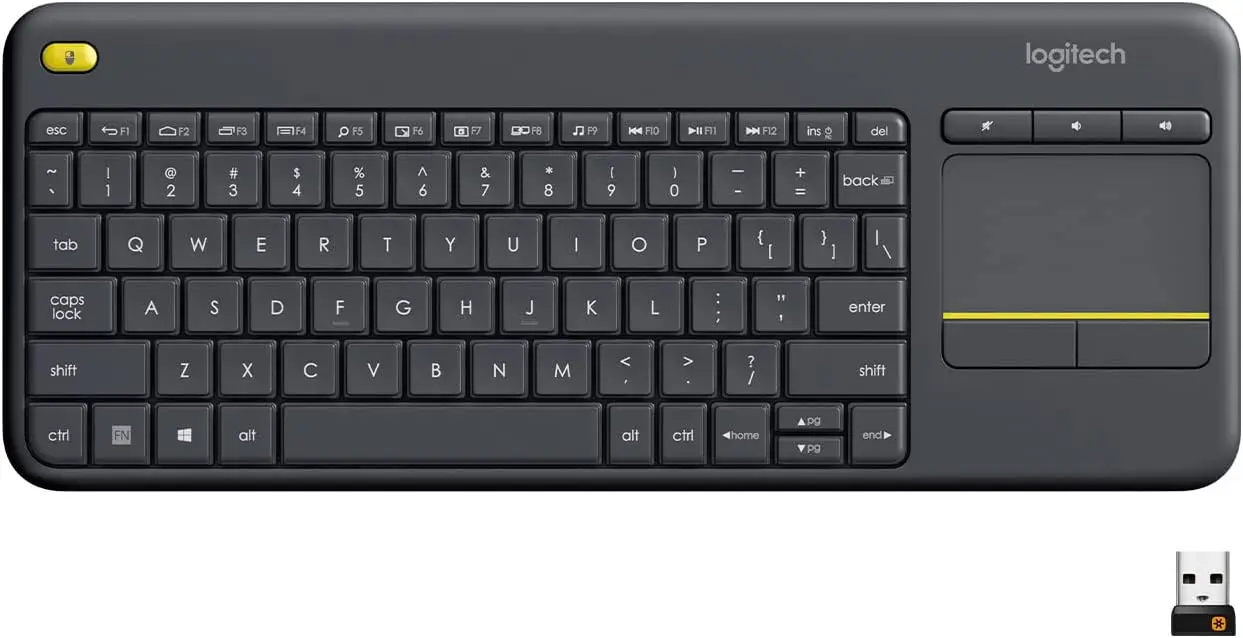
Logitech K400 Plus Full Lap Board
- ✅ Pros: Massive built-in trackpad; reliable mechanical key stabilizers; incredible 18-month battery life.
- ❌ Cons: Cannot be used effectively with only one hand.
Looking for a Desktop Trackpad Setup?
If you are setting up a full living room PC or a Mac Mini media server, these mini controllers might be too small. Check out our full guide on the best full-size wireless keyboards with built-in trackpads.
Karim
Wireless desk enthusiast and mechanical keyboard obsessive. I test, review, and tear down tech to help you build the perfect, clutter-free setup.