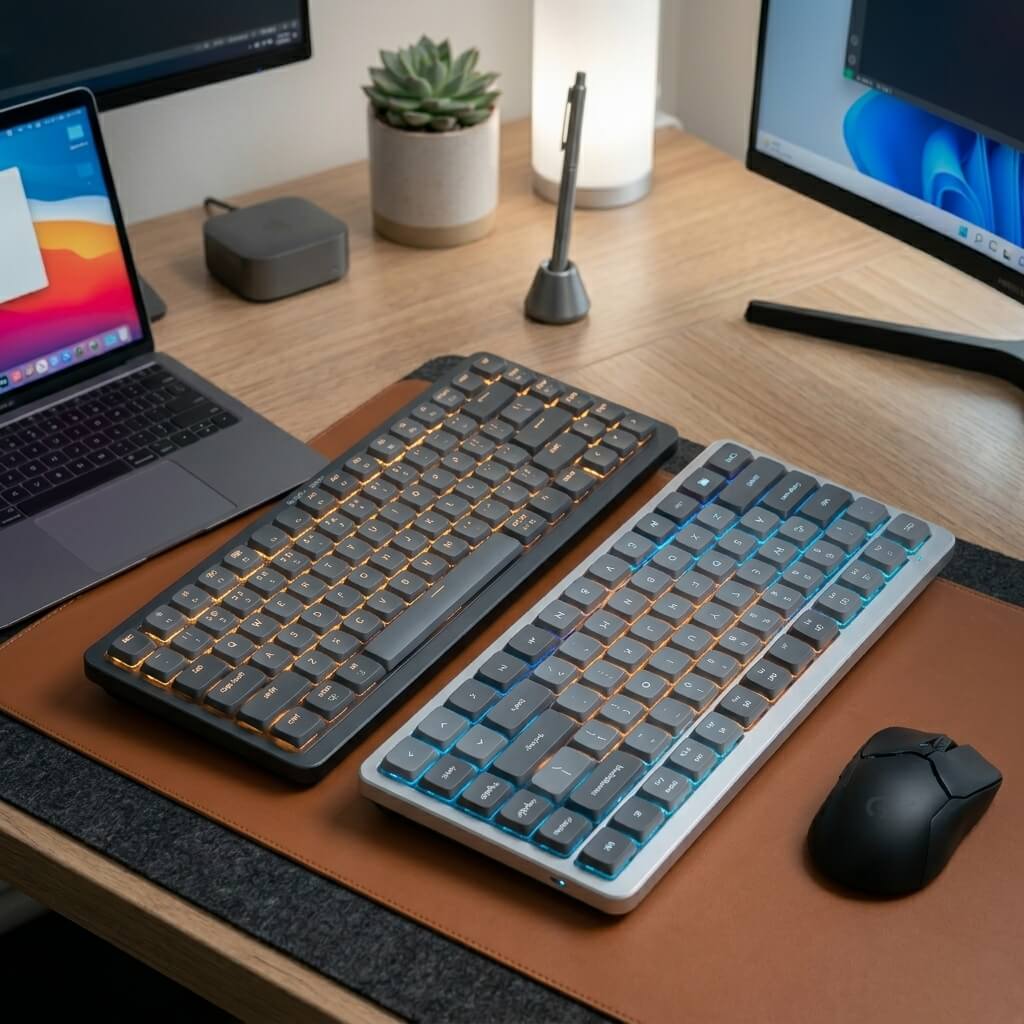
Best Low-Profile Mechanical Keyboards for Mac and PC
The chunky, towering mechanical keyboards of the past are being replaced by something much sleeker. Low-profile mechanical keyboards offer the incredibly satisfying tactile feedback of traditional switches, but in a slim, minimalist chassis that rivals Apple's Magic Keyboard. They require less wrist extension and look stunning on a modern desk. Whether you are a Mac loyalist or a Windows power user, we have tested the absolute best low-profile mechanical keyboards that seamlessly bridge the gap between aesthetic design and premium typing performance. If you are specifically looking for low-profile options in the Apple ecosystem, you might want to compare the Apple Magic Keyboard vs Logitech MX Keys Mini or explore other Bluetooth alternatives to the Apple Magic Keyboard.
Top Picks at a Glance
- Best for Enthusiasts: NuPhy Air75 V2
- Best for Professionals: Logitech MX Mechanical Mini
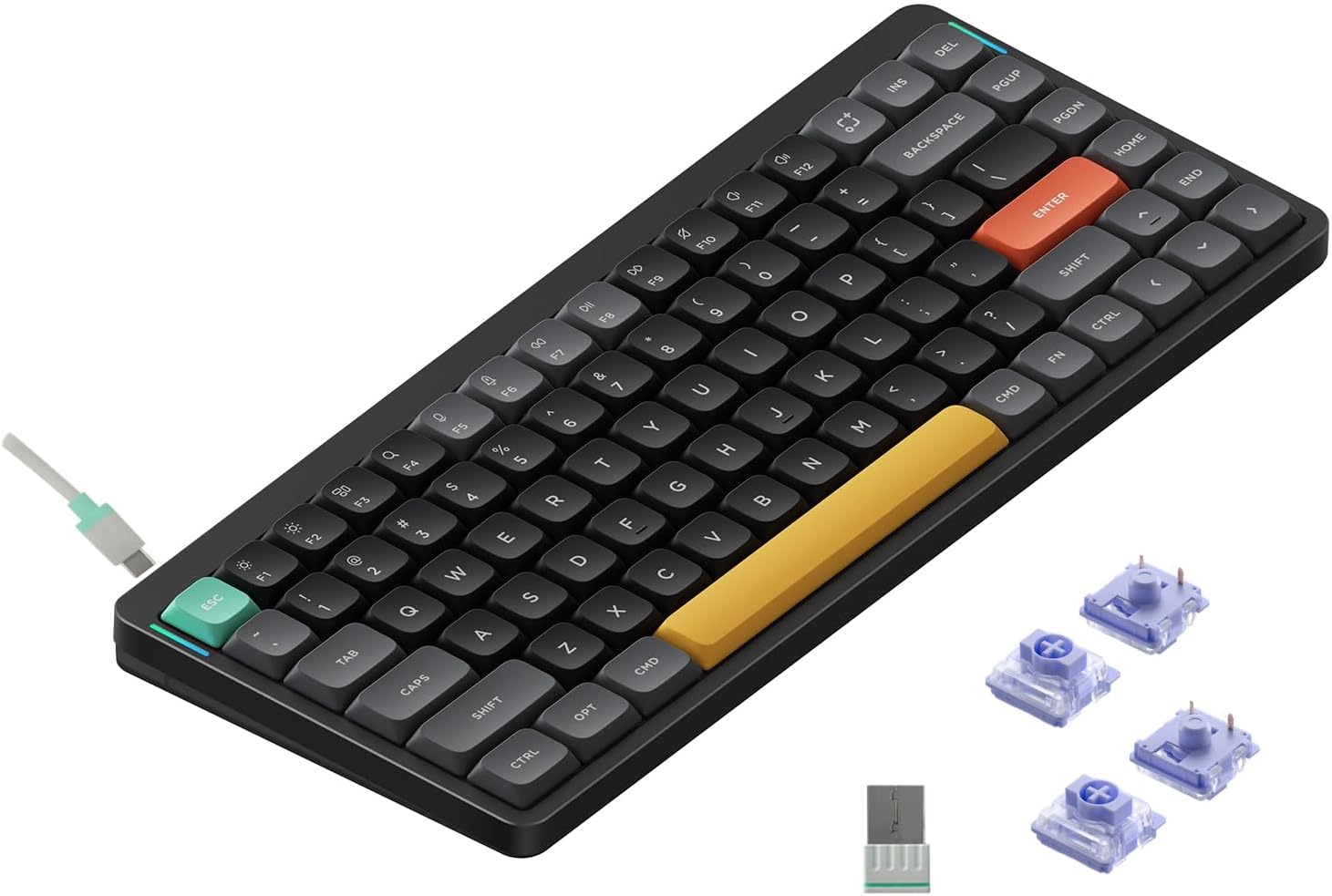
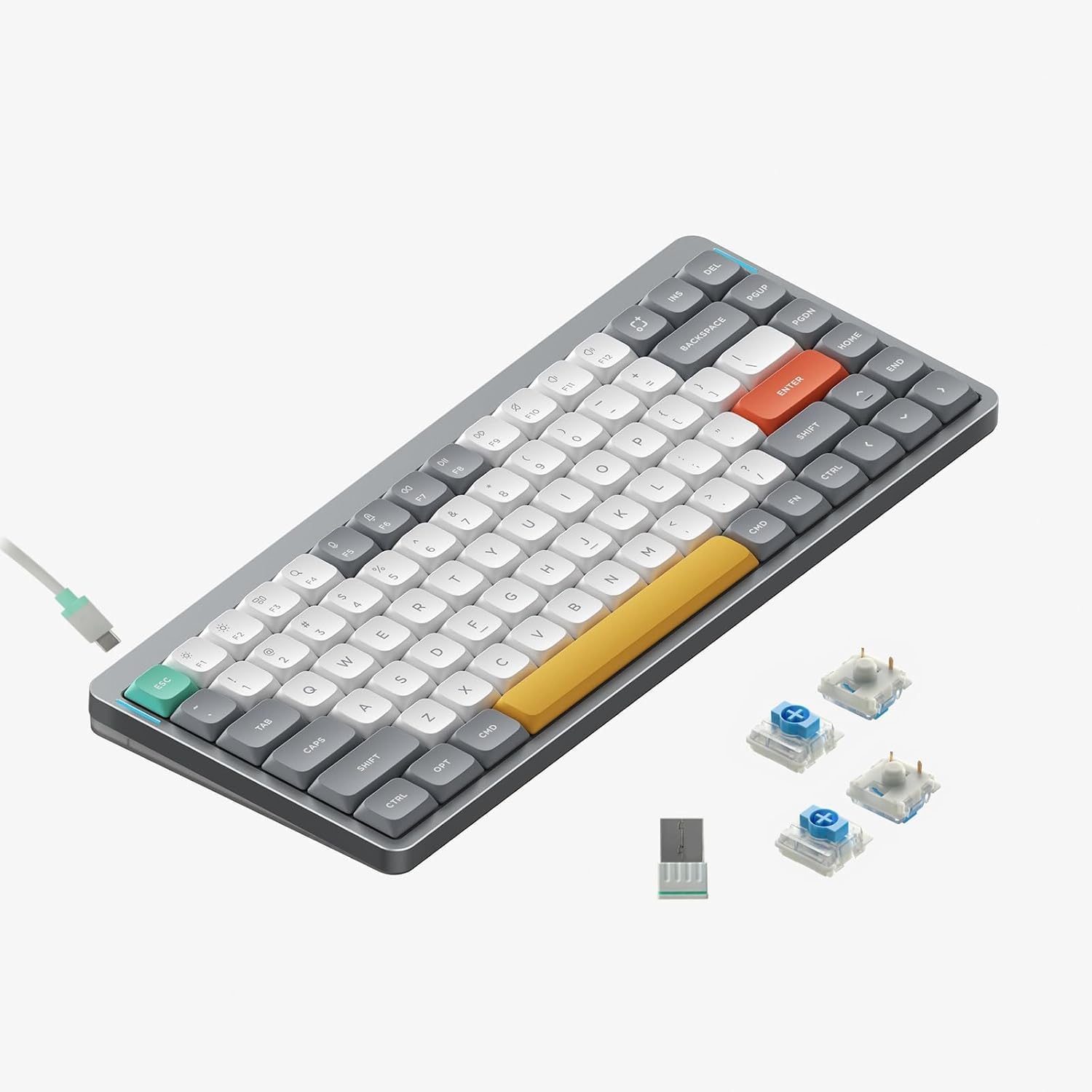
1. The Best for Enthusiasts: NuPhy Air75 V2
NuPhy has taken the mechanical keyboard community by storm, and the Air75 V2 proves exactly why. Wrapped in a premium aluminum frame with a new translucent bottom shell, this 75% layout keyboard is visually stunning. It comes equipped with high-quality PBT keycaps that resist finger oils and shine, ensuring the board looks brand new even after months of heavy use. The dual RGB light bars on the sides cleverly indicate battery life and connection mode.
Where the Air75 V2 truly shines is under the hood. It features a massive 4000mAh battery (yielding up to 220 hours without backlighting) and supports QMK/VIA firmware. This open-source software allows you to limitlessly remap keys and customize macros, making it a dream for tinkerers. With Bluetooth 5.1, a 2.4G dongle, and wired modes, it seamlessly jumps between Mac, Windows, and even mobile devices.
Swipe horizontally to view color options
NuPhy Air75 V2
- ✅ Pros: Incredible PBT keycaps, QMK/VIA open-source customization, massive 4000mAh battery, beautiful modern aesthetic.
- ❌ Cons: The colorful keycaps might be too playful for strict corporate environments.
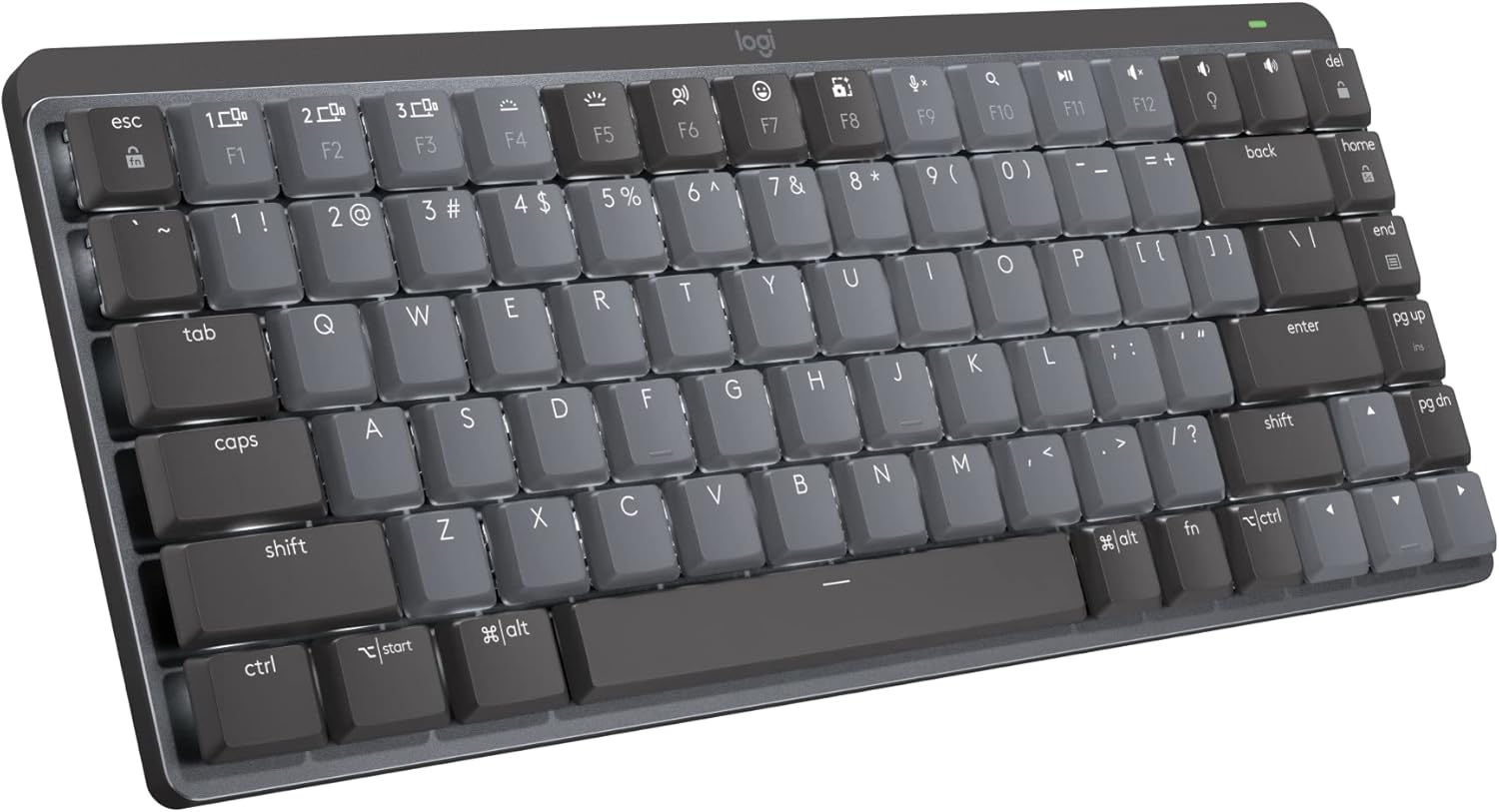
2. The Best for Professionals: Logitech MX Mechanical Mini
If you want the satisfaction of mechanical switches but need a keyboard that blends seamlessly into a high-end corporate office, the Logitech MX Mechanical Mini is the undisputed champion. It features a sleek, dual-tone metal build and low-profile clicky switches that provide highly gratifying, audible tactile feedback without the extreme height of traditional gaming keyboards.
Logitech’s software ecosystem is its greatest strength. The smart illumination automatically lights up the moment your hands approach the keys and adjusts to your room's lighting. Combined with the Logi Options+ app, you can easily customize function keys or use Logitech Flow to seamlessly copy and paste text across multiple computers simultaneously. It connects flawlessly via Bluetooth or the included Logi Bolt receiver.
If you are purchasing a new keyboard strictly to fix wrist pain rather than for aesthetics, you should consider exploring our guide to the best ergonomic split-frame keyboards instead.
Logitech MX Mechanical Mini
- ✅ Pros: Premium professional design, Smart Illumination proximity sensors, flawless multi-device switching with Logitech Flow.
- ❌ Cons: Uses ABS keycaps instead of PBT (can get shiny over time), premium price tag.
Who Should Buy Which?
Buy the NuPhy Air75 V2 if:
- You love to customize your hardware (QMK/VIA).
- You prefer the durability of PBT keycaps.
- You want a fun, modern aesthetic with long battery life.
Buy the Logitech MX Mechanical Mini if:
- You work in a corporate setting.
- You rely heavily on Logitech's software ecosystem (Logi Options+).
- You want proximity-sensing backlighting.
Frequently Asked Questions
Will these work seamlessly with Mac?
Yes, both keyboards are fully compatible with macOS. The NuPhy even comes with Mac-specific modifier keycaps (Command/Option) in the box, and the Logitech automatically maps to Mac layouts when connected to an Apple device.
What is the difference between PBT and ABS keycaps?
PBT (used on the NuPhy) is a denser, higher-quality plastic that has a slightly textured feel and resists developing a greasy shine over time. ABS (used on the Logitech) is smoother and more common, but tends to show finger oils much faster.
Karim
Wireless desk enthusiast and mechanical keyboard obsessive. I test, review, and tear down tech to help you build the perfect, clutter-free setup.
Read Next

Best Ergonomic Bluetooth Keyboards for Wrist Pain
Stop typing through the pain. We analyzed the top split-frame ergonomic keyboards to naturally align your wrists and cure workspace fatigue.
Read Article →
Best Quiet Bluetooth Keyboards for Zoom Calls
Stop annoying your coworkers. We tested the best quiet wireless keyboards, featuring silent mechanical switches and premium designs.
Read Article →